 EN

Afina: profiles, proxies and automation: setup and limits
Afina review: installation, profiles and proxies, Node.js and API, team permissions, plans and recovery. Documentation-based comparison with AdsPower and GoLogin.
What is Afina used for?
Afina combines separate browser profiles, proxy management, teamwork and automation. The practical purpose is to preserve a working environment: cookies, profile settings and staff access can be organised around a project. Changing a browser fingerprint does not authorise bypassing a website’s rules or guarantee that accounts will avoid restrictions.
Updated on 6 November 2026 using official pages and documentation. We did not run the installer or automation scripts. Statements about encryption, UDP and application checks below are attributed to their sources; this review is not an independent software test.
| Item | Details |
|---|---|
| Platforms | Windows, macOS |
| Task | Antidetect and profile browsers |
| Download source | Use the project’s official page and choose the build for your operating system. |
| Version and terms | Check the version and licence on the developer’s website. |
Who Afina is for and what it can do
Separate profiles and team permissions can help support several authorised client accounts. QA teams can preserve distinct test sessions for their own website and repeat actions across them. Scripts and scheduling suit recurring operations in an account you control. In each case, first check whether the service permits automation and shared access.
If you only need two personal accounts, start with ordinary browser profiles. Afina becomes worth evaluating when you need transferable environments, team roles or custom workflows. It is a paid product: compare the cost of the profiles, members and automation add-on you actually need rather than the advertised feature count.
Windows, macOS and hardware requirements
At the review date, the download page lists Afina 2.1.11, released on 3 November, for Windows x64 and macOS on Intel or Apple Silicon. It specifies Windows 10 or later and macOS 13 Ventura or later. No Linux build is listed there. The OS represented in a profile’s fingerprint is separate from the host OS required to install the application.
The documentation requires WebView2 Runtime on Windows and says the current installer does not include it. After signing in, download the browser core through Browser Version. The stated minimum is 4 GB RAM, with 8–16 GB recommended; actual load depends on websites and concurrent profiles. Keep the data folder outside the installation directory, as advised, to protect working files during updates.
Profiles, proxies, WebRTC and UDP
A profile combines cookies, browser parameters and a selected network connection. Canvas, WebGL and WebRTC expose different fingerprint surfaces; changing an IP address does not validate the other settings. Afina advertises UDP transport through SOCKS5, including relevant WebRTC and QUIC use cases. A compatible proxy is required: a provider’s SOCKS5 label alone does not establish UDP support.
For a practical check, open a test page you control, compare the expected egress address for HTTP and WebRTC, and observe what happens when the proxy disconnects. Wireshark can assist with packet inspection. Missing HTTP/3 alone does not prove a leak: a connection may fall back to TCP. One successful test does not establish anonymity for the whole computer or every application.
Visual workflows, Node.js and the local API
The automation editor connects actions, waits and conditions. Custom Node.js modules and npm packages let you put reusable logic into code. For QA on your own website, a workflow could open a test profile, perform a sequence and record the result. Start with one profile and a read-only action; use batches only after checking error handling and how to stop the workflow.
The API documentation gives http://127.0.0.1:50778 as the base address; a port conflict changes it, so read the startup log. Requests other than /api/health require a separate x-api-key from settings. Create and update operations depend on the selected workspace. If a response is lost, retain the operation identifier and inspect its state rather than blindly submitting a new operation. Keep the API key out of public logs and do not expose the API to the internet.
Teams, Afina Cloud and access costs
The reviewed plan page lists 20 profiles for Lite, 50 for Starter, 100 for Base, 300 for Standard and 1,000 for Max. Included members are 0, 0, 2, 5 and 10 respectively; teamwork starts with Base. API access is listed across plans, while automation is an add-on. The page defaulted to two-year billing: the low monthly equivalent was not a monthly charge. Check the total, term and members before paying.
Teams separates permissions to launch, add, delete or transfer profiles and invite members. Start/Stop Profiles also allows downloading profiles from Afina Cloud. The documented sharing flow moves a profile into the team, exports it to the cloud and lets a member import it. Returning it to Personal sends it to the team owner. Test permissions with a disposable profile: inviting a colleague affects access to working sessions, not just a list of names.
What Apple, Microsoft and D‑U‑N‑S badges mean
Afina displays Apple Notarized App, Microsoft Azure Signed and D‑U‑N‑S 243331718. Apple notarization includes automated malware and signing checks, but is not App Review. D‑U‑N‑S identifies an organisation rather than certifying software security. The Microsoft signing claim needs verification on the actual downloaded file; we did not inspect a binary signature for this review.
Widevine concerns protected-content playback, while Tauri is an application technology. GDPR-aligned wording and antivirus logos do not substitute for a published report specifying scope, date and version. The reviewed pages did not provide an independent audit report validating the complete claimed security model. This limits the available evidence; it does not establish that no such audit exists anywhere.
Download Afina from the official website
On the project’s download page, choose the build for your operating system.
Check the website address. Follow the developer’s instructions for verifying the file’s signature or checksum.
Getting started with Afina
- Download the build for your OS. On Windows, check WebView2; keep data separate from the installation folder. Download a core in Browser Version.
- Create one test profile without production cookies or secrets. Give it a clear name, group and consistent settings; attach an authorised proxy if needed.
- Open your own test site. Check egress IP, DNS and WebRTC behaviour, then disconnect the proxy and check for an unwanted direct connection.
- Test the workflow on one profile: result, error log and stopping. Grant minimal team permissions and check who can download or transfer a profile.
- Store the master password separately, for example in KeePassXC. Back up the test profile and verify restoration before moving working sessions. Having a backup file is not the same as a tested recovery.
Afina interface and illustrations
Interface screenshots
Image sources are listed below. Other versions may have a different interface.
AfinaCreating an Afina profile
1 of 3. Afina: Creating an Afina profile
Limitations and data protection in Afina
According to its Zero-Knowledge description, Afina encrypts cookies and secrets before storage, with a master password protecting the key. The developer warns that a forgotten master password cannot be recovered and resetting deletes encrypted data. Cloud sharing and backups do not remove that dependency. Before deployment, request details of key transfer between devices, recovery and team access boundaries.
The security page describes Ed25519 signatures for a file manifest covering extensions and modules. Integrity checks do not prove that attached Node.js code is safe for your data. Review module authors, source and dependencies; do not use wallet seed phrases or real payment data in a test workflow.
A conflict needs written clarification: the homepage advertises scraping, while the User Agreement prohibits spider, crawl and scrape activities. Terms of Use also restrict commercial use of “materials”, but its application to the paid software is unclear. Clarify contractual terms with the supplier before business deployment. A marketing example is not permission to collect other people’s data.
Alternatives for related tasks
Compare AdsPower for its Chromium/Firefox engine choice, RPA and team permissions; automation is not unique to Afina. GoLogin offers cloud launching and team organisation of profiles. Afina’s useful comparison points are its visual editor with Node.js modules, local API and claimed encryption model. Ordinary browser profiles may suffice for basic session separation. KeePassXC addresses master-password storage, while Wireshark helps inspect network routing; neither replaces a profile manager.
Questions and answers
Can I download Afina for Linux?
The page checked on 6 November 2026 lists Windows x64 and macOS Intel/Apple Silicon. Linux is not listed. A Linux fingerprint setting is not a Linux installer.
Why might a profile fail to start after installation?
First check that Browser Version has a downloaded core and Windows has WebView2. Then read the error log. These are initial checks, not an explanation for every startup failure.
Can a forgotten master password be recovered?
The developer says no. Resetting deletes encrypted data. Store the password separately and test recovery with a disposable backup in advance.
Is automation included in every Afina plan?
API access is listed across plans, but automation is offered as an add-on. These are different entitlements. Check the final package and billing period.
Does SOCKS5 guarantee no WebRTC leaks?
No. You need a compatible proxy, correct settings and failure testing. Afina’s UDP claim does not replace testing your specific setup.
Other tools for similar tasks

AdsPower
AdsPower: Profiles and team permissions. Purpose, access conditions, limitations and official sources.
Review and setup →
GoLogin
GoLogin: Profiles, members and plans. Purpose, access conditions, limitations and official sources.
Review and setup →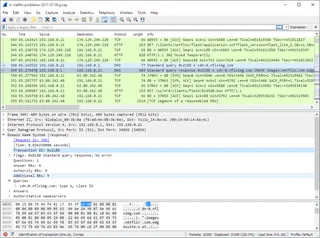
Wireshark
Wireshark: analyze your network traffic, choose an interface and filters, read captures and handle PCAP files safely.
Review and setup →Related reading

Passkey, TOTP or SMS: protection of the exchange account
Selection of the method of entry and preparation of access recovery.
Read article →
Fake support for the exchange: how to check the request
Checking the access to the installation of programs and the transfer of access.
Read article →About the author

Crypto, fintech and Web3 expert with a background in marketing. Covers digital-asset projects, industry risks and fraud prevention.
Professional websiteDocumentation and images
Official sources, image credits and review methods
- Download Afina
- Documentation Afina
- Afina: illustration source
- Afina: Zero-Knowledge
- Afina: User Agreement
- Afina: Terms of Use
- AdsPower
- GoLogin: Features
- Creating an Afina profile: illustration source — Afina; official product screenshot..
- Adding an extension in Afina: illustration source — Afina; official product screenshot..
- Creating a script in Afina: illustration source — Afina; official product screenshot..
The review was prepared on the project documentation. The installation and independent testing of the distribution within this material was not carried out. The rights to the interface and the names are reserved for the respective rights holders.