 EN
Double SSH Tunnel Manager: Proxy Geo Router and Download
Double SSH Tunnel Manager on the developer's website is presented as Proxy Geo Router. Direct links to download, updates, screenshots and check the connection settings.
Update —
- The previous page of the Double SSH Tunnel Manager now shows the name Proxy Geo Router. Updated installers and download links. Website of the developer ↗
- In the October 25 issue, the developer reported Tap2tor 5.75, freeze fixes when connecting to SOCKS/SSH and AmneziaWG. This is a developer's description, not the results of our testing. Issue from 25 October ↗
- On October 30, the developer announced the update of the Tor library to 0.4.9.15 and its restoration. For the update, it specifies Updater.exe. Posted on October 30 ↗
Double SSH Tunnel Manager and Proxy Geo Router
Double SSH Tunnel Manager, or DSSHTM, is a well-known name for a tunnel manager and a proxy for Windows. Now on the same page of the project, the developer presents the program as Proxy Geo Router.
The program combines connection management and traffic distribution. The developer announces the support of SSH, SOCKS5, Tor, OpenVPN, ShadowSocks, Vless, Trojan and other protocols, work with virtual machines and handouts to other devices. The capabilities depend on the selected protocol, configuration and license.
Below are the current links from the project site, information about the updates and images published by the developer himself. The availability of links was checked on 2 November 2026.
| Item | Details |
|---|---|
| The platform | Windows; Compatibility of a specific build, please contact the developer. |
| The Appointment | Control of tunnels, proxy and routing of traffic applications and virtual machines. |
| The stated protocols | SSH, SOCKS5, Tor, OpenVPN, ShadowSocks, Vless, Trojan and others; the set depends on the build and license. |
| The installers | ProxyGeoRouter.exe and ProxyGeoRouter_full.exe, about 920 MB each. |
| The License | There is a free option with a limited set of protocols; the conditions of the other functions - the developer. |
| Documentation | Project site, instructions and messages in the official channels of the developer. |
Double SSH Tunnel Manager / Proxy Geo Router
Both installers are placed in the sshmanager directory on the developer's domain. Each occupies about 920 MB. The buttons below lead directly to EXE-files; the download starts after clicking on the link.
The project page does not explain in detail the difference between the usual and the full installer. Before the choice, specify the composition and terms of the license in the official materials. Syping full in the file name does not in itself mean free access to all functions.
In a report on October 25, the developer separately describes a free version with the protocols SSH, Tor, ToxHole, ShadowSocks and AmneziaWG. The terms of the specific assembly and paid functions should be checked by the developer.
Double SSH Tunnel Manager and Proxy Geo Router
Choose a new or former interface gallery. Arrows switch images, and thumbnails allow you to immediately open the desired screen. The main image is a program or component.
The photos have different dates of publication, so the interface may differ from the build you installed. For small elements, open the selected screenshot in full size.
New screenshots - Proxy Geo Router and Components
Materials from the current site and the developer's channel. The name of the program or component is indicated above the image.
Proxy Geo RouterMain window with AmneziaWG and Tap2tor
1 of 5. Proxy Geo Router: Main window with AmneziaWG and Tap2tor
Old Screenshots - Double SSH Tunnel Manager
Full gallery of the former publication: DSSHTM, customization wizard, Proxifier and related Windows windows.
Double SSH Tunnel ManagerMain window and connection list
1 of 27. Double SSH Tunnel Manager: Main window and connection list
Setting up Double SSH Tunnel Manager: what to check
Define a task: connect to your server, proxy for a single application or transfer a connection to a virtual machine. Then check what process directs traffic to the tunnel where the DNS requests are performed and what happens when the communication breaks. One changed external IP does not confirm the routing of all computer traffic.
SSH encrypts the area between the client and the SSH server. The further path to the site depends on the protocol of the destination and settings. SOCKS-proxy redirects traffic; by itself it does not guarantee encryption of each site. An additional server in the chain also does not create automatic anonymity.
Before installation, check the file source, version number, the system supported and the necessary rights. If the developer publishes a checksum or signs a file, check this information. The crash of the hash confirms the match of files, not the absence of malicious code. To get acquainted with an unknown build, use a separate test environment without working keys, passwords and crypto wallets.
- Determine which applications or virtual machines should use the tunnel.
- Check the external address and DNS request path for the selected application.
- Check the behavior when the tunnel breaks: the connection must meet your routing requirements.
- For the first install, use a test environment without work keys, passwords and wallets.
Double SSH Tunnel Manager or OpenSSH: What to Choose
OpenSSH may be enough to connect to your own server and port forward. Its manual describes local redirection, dynamic SOCKS proxy and connection through the intermediate node. The manager is needed when his additional functions solve your problem.
Microsoft documents the built-in OpenSSH for Windows. The outgoing connection is used by the client; the inclusion of the SSH server and the opening of the incoming port relate to another task. Do not install the server just because the instruction describes both components.
Questions and answers
Double SSH Tunnel Manager and Proxy Geo Router - is that one program?
On the previous page Double SSH Tunnel Manager, the developer now presents a product called Proxy Geo Router. Both names are found in the images, and APClient and Tap2tor are designated as related components.
Is there a free version?
In a October 25 message, the developer describes a free version with SSH, Tor, ToxHole, ShadowSocks and AmneziaWG. The set of functions and conditions of the specific assembly, check in the official materials.
What are the normal and complete installers?
The download page contains ProxyGeoRouter.exe and ProxyGeoRouter_full.exe, but there is no detailed comparison of the composition. Check the developer's description and license; the word full does not mean free access to all features.
How to update the Tor component?
In a message dated October 30, the author indicates an update via Updater.exe and reports the Tor 0.4.9.15 library. Use instructions and files from confirmed project channels.
Does the double SSH guarantee anonymity?
Oh, no. An additional server does not eliminate the risks of application settings, DNS and login to personal accounts. Check the route of a particular application and behavior when the connection is broken.
Other tools and programs
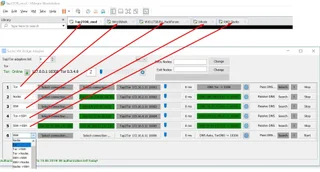
Socks VM Bridge Adapter
Connecting individual virtual machines to different network connections - by the developer's description.
Developer website ↗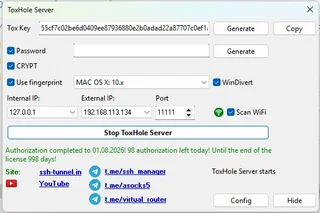
ToxHole Server
Tunnel connection with a computer behind NAT - by the developer's description.
Developer website ↗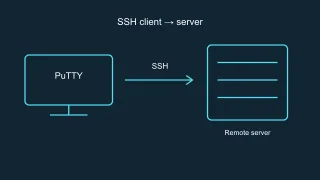
PuTTY
SSH client for terminal connection to your server.
Review and setup →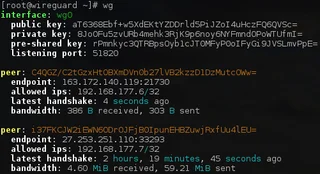
WireGuard
VPN tunnel for accessing your network and services.
Review and setup →Related reading

Passkey, TOTP or SMS: protection of the exchange account
Selection of the login method and preparation of access recovery.
Read article →
Fake support for the exchange: how to check the request
Checking the access to the installation of programs and the transfer of access.
Read article →About the author

Crypto, fintech and Web3 expert with a background in marketing. Covers digital-asset projects, industry risks and fraud prevention.
Professional websiteSources and images
Documentation, primary sources and image rights
- Proxy Geo Router - Developer's website
- Message: issue from 25 October
- Free option: developer description
- Updated Tor from 30 October
- OpenSSH: Port and ProxyJump forwarding parameters
- Microsoft: OpenSSH for Windows
Images
- Old illustrations. Archive of own publication udarknet; originals are saved without changes.
- Site gallery of the developer. The main DSSHTM window and the Options window.
- Main window Proxy Geo Router. Publishing the developer on October 23.
- APClient. Publishing developer on October 11.
- Tap2tor. Publishing of the developer from July 7.