 EN
PuTTY: review, download and setup
PuTTY: official SSH client downloads, host key checks, saved sessions and how to choose between PuTTY and OpenSSH.
What is PuTTY used for?
PuTTY is a SSH client and terminal emulator for the management of servers and equipment that have allowed access. The graphical window helps to save addresses and session parameters. After the connection, the commands are executed on a remote system.
The program is associated with PuTTYgen for keys, Pageant for the use of keys through agent, PSCP and PSFTP to transfer files, Plink for the command line. Not every script requires the whole set. Choose a task component, not a similar name in a third-party directory.
| Item | Details |
|---|---|
| Platforms | Windows; Available for Unix |
| Use case | Networking and tunnels |
| Download source | Use the project’s official page and choose the build for your operating system. |
| Version and terms | Current builds and conditions of use are given from the developer. The review does not record the unchanged version number. |
First PuTTY connection: check the server key
At the first SSH connection, the client shows the host key. Check the imprint through an independent trusted channel - server or administrator panel. Clicking without verification memorizes the presented key, but does not prove the node authenticity.
If the key of the familiar server has changed, find out the reason. Possible reinstallation, change of equipment or replacement of the unit. Re-preservation of an unknown key for the sake of disappearance of the warning deprives the check of meaning. The address, port and user must match the owner's data.
Download PuTTY from the official website
Select the supported platform on the project page. The link leads to the selection of the distribution, and does not start the installation automatically.
Use the official download address. Check the signature or checksum if the project publishes one. Keep secret configuration files private when contacting support.
Getting started with PuTTY
- Open the official website of the PuTTY team and select a stable build for your architecture.
- In Session, specify the server and the type of SSH. Save a profile with an understandable name without a password.
- Get the reference entry of the host key and compare the shown client.
- Log in with a allowed account; when using the key, configure the supported format and protection.
- Finish the session normally. After the project is transferred, remove unnecessary profiles and withdraw access.
PuTTY interface and illustrations
SSH connection diagram
The udarknet circuit explains the client and server role; this is not an image of the interface.
PuTTYScheme: PuTTY connects to remote server via SSH
1 of 1. PuTTY: Scheme: PuTTY connects to remote server via SSH
Limitations and data protection in PuTTY
PuTTY supports Telnet, which does not offer the protection of SSH. SSH encryption does not restrict your permissions on the server. An unintended command can still modify or delete data.
SSH agent forwarding extends trust to the remote host. Enable it only when needed. While your session is active, a compromised server can use the available agent to authenticate. Keep PuTTY and related components up to date using the project’s official releases.
Alternatives for related tasks
For the usual command line can be enough built-in OpenSSH. PuTTY is convenient for stored graphics profiles. For two-panel work with files, consider WinSCP, and for access to the entire subnet of WireGuard.
Questions and answers
Where is the real PuTTY website?
The main website of the team is chiark.greenend.org.uk/?sgtatham/putty/. Use the download page that he is leading to.
Is the session replacing the password manager?
Oh, no. Profile stores the connection parameters. Do not transfer the private key to another person along with the settings.
Can you ignore the changed host's key?
First, confirm the reason for the owner of the server on an independent channel. Do not replace the saved key to the unknown.
Other tools for similar tasks
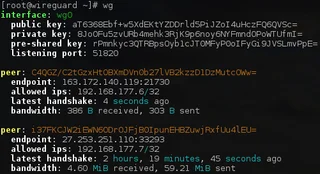
WireGuard
WireGuard: what a VPN tunnel does, where to download the client, and how to check keys, routes and DNS after connecting.
Review and setup →
Tor Browser
Tor Browser: official downloads, first connection, bridges, updates and the limits of protection for browser traffic.
Review and setup →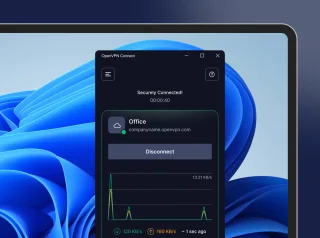
OpenVPN Connect
OpenVPN Connect: official VPN client downloads, .ovpn profile import, work network access checks and comparisons with WireGuard and Tailscale.
Review and setup →Related reading

Passkey, TOTP or SMS: protection of the exchange account
Selection of the method of entry and preparation of access recovery.
Read article →
Fake support for the exchange: how to check the request
Checking the access to the installation of programs and the transfer of access.
Read article →About the author

Crypto, fintech and Web3 expert with a background in marketing. Covers digital-asset projects, industry risks and fraud prevention.
Professional websiteDocumentation and images
Official sources, image credits and review methods
- Download PuTTY
- Documentation PuTTY
- Scheme: PuTTY connects to remote server via SSH: illustration source — Scheme udarknet; illustration of the mechanism, not screenshot of the application.
The review was prepared on the project documentation. The installation and independent testing of the distribution within this material was not carried out. The rights to the interface and the names are reserved for the respective rights holders.