 EN
WireGuard: review, download and setup
WireGuard: what a VPN tunnel does, where to download the client, and how to check keys, routes and DNS after connecting.
What is WireGuard used for?
WireGuard creates an encrypted connection between the configured nodes. It is suitable for accessing a home network, server or work resources through an untrusted network. This is a protocol and a set of implementations, not a ready subscription with automatically issued servers.
You need your own server or configuration from the administrator or provider to connect. It defines the keys, the address of the node and the authorized networks. It depends on the routes whether all traffic will go through the tunnel or only a separate subnet. One successful handshake does not confirm the correct operation of DNS and all applications.
| Item | Details |
|---|---|
| Platforms | Windows, macOS, Linux, Android, iOS |
| Use case | Networking and tunnels |
| Download source | Use the project’s official page and choose the build for your operating system. |
| Version and terms | Current builds and conditions of use are given from the developer. The review does not record the unchanged version number. |
When WireGuard is suitable for remote access
To access your local network, the route to the desired subnet is convenient: the usual web traffic can continue to go directly. To access the Internet via the server, appropriate routes, packets and settings on the server side are required. These regimes are not interchangeable.
WireGuard connects the nodes on public keys. The secret key should remain on your device. The full profile and its QR code can contain this key: they can not be published in support chat. If the device is lost, remove its key from the list of allowed nodes. Simply removing the client is not enough.
Download WireGuard from the official website
Select the supported platform on the project page. The link leads to the selection of the distribution, and does not start the installation automatically.
Use the official download address. Check the signature or checksum if the project publishes one. Keep secret configuration files private when contacting support.
Getting started with WireGuard
- Choose an official customer for your OS. Check out who gave the configuration.
- Import your profile without publishing PrivateKey and QR code. Check the appointment of AllowedIPs.
- Connect and check the last handshake and transfer counters.
- Open the target resource; check the DNS and the external address if you need a full tunnel.
- Disable the connection and check the application behavior when the tunnel is lost.
WireGuard interface and illustrations
Interface screenshots
The origin of the images is indicated in the sources below. The interface of the installed version may differ.
WireGuardOutput of wg utility in the official WireGuard manual
1 of 1. WireGuard: Output of wg utility in the official WireGuard manual
Limitations and data protection in WireGuard
WireGuard does not hide your identity from the server you connect to. The exit node operator and websites you sign in to remain part of the trust model. A VPN cannot fix an infected device or turn HTTP into HTTPS.
With a working handshake, the absence of traffic is often associated with routes, subnet conflict, DNS or firewall. Do not change everything at once: first check the address inside the tunnel and the target service, then the name resolution.
Alternatives for related tasks
For the terminal on one server, the SSH client is often easier than a full-fledged VPN. WireGuard is more useful when you need network access to several services. For browser traffic through Tor, there is a separate Tor Browser: it solves another problem.
Questions and answers
Is WireGuard providing a VPN server?
Oh, no. You need a host, an organization's server, or a provider with a compatible profile. The client does not include a subscription to the servers.
Can I send a profile in support?
Full profile can contain a private key. Transmit the diagnosis without secrets. If the key is opened, replace it and call the old one.
Handshake is there, but the sites do not open. What to check?
Routes, access inside the tunnel, DNS, server forwarding and firewall. Handshake confirms node communication, not availability of each site.
Other tools for similar tasks
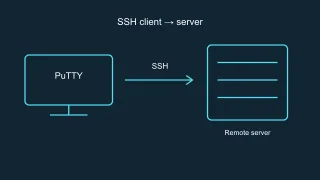
PuTTY
PuTTY: official SSH client downloads, host key checks, saved sessions and how to choose between PuTTY and OpenSSH.
Review and setup →
Tor Browser
Tor Browser: official downloads, first connection, bridges, updates and the limits of protection for browser traffic.
Review and setup →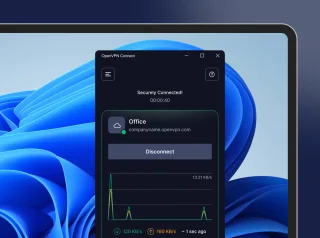
OpenVPN Connect
OpenVPN Connect: official VPN client downloads, .ovpn profile import, work network access checks and comparisons with WireGuard and Tailscale.
Review and setup →Related reading

Passkey, TOTP or SMS: protection of the exchange account
Selection of the method of entry and preparation of access recovery.
Read article →
Fake support for the exchange: how to check the request
Checking the access to the installation of programs and the transfer of access.
Read article →About the author

Crypto, fintech and Web3 expert with a background in marketing. Covers digital-asset projects, industry risks and fraud prevention.
Professional websiteDocumentation and images
Official sources, image credits and review methods
- Download WireGuard
- Documentation WireGuard
- Output of wg utility in the official WireGuard manual: illustration source — Screenshot of the official documentation or site of the project; editorial illustration of the interface, rights of the rightholder.
The review was prepared on the project documentation. The installation and independent testing of the distribution within this material was not carried out. The rights to the interface and the names are reserved for the respective rights holders.