 EN

ixBrowser: Profile creation and opening quotas
ixBrowser: Profile creation and opening quotas. Purpose, access conditions, limitations and official sources.
What is ixBrowser used for?
ixBrowser offers free and paid browser-profile plans. Its pricing table separately lists stored profiles, daily creation, daily openings and team seats. These are four different limits.
| Item | Details |
|---|---|
| Platforms | Windows, macOS |
| Task | Antidetect and profile browsers |
| Download source | Use the project’s official page and choose the build for your operating system. |
| Version and terms | Check the version and licence on the developer’s website. |
What to check before setup
At review time the homepage and pricing table described free capacity differently: promotional “unlimited” wording is not confirmation of profile capacity. Before importing, confirm the active quota in the dashboard or with support and retain the answer.
Download ixBrowser from the official website
On the project’s download page, choose the build for your operating system.
Check the website address. Follow the developer’s instructions for verifying the file’s signature or checksum.
Getting started with ixBrowser
- Open the official download page and check OS, architecture and current subscription terms.
- Create a test profile without work passwords or payment details.
- Check session persistence and member permissions; verify routing separately if adding a proxy.
- Test access revocation and test-data deletion before moving work accounts.
- Record renewal dates and confirm how to cancel the subscription before relying on the service.
ixBrowser interface and illustrations
ixBrowser logo
Official ixBrowser logo; not an interface screenshot
ixBrowserOfficial ixBrowser logo; not an interface screenshot
1 of 1. ixBrowser: Official ixBrowser logo; not an interface screenshot
Limitations and data protection in ixBrowser
Reopening the same profile can also consume the opening allowance. Plan for restarts and errors, not only account counts. Until the documents agree, we do not describe the free plan as unlimited.
This is a review of public documentation, not an installation test, security audit or performance benchmark.
Alternatives for related tasks
For one work login, consider an ordinary separate browser profile first. If you only need a different network route, compare proxy services; they do not isolate cookies. Keep passwords and recovery codes in a separate vault.
Questions and answers
Does this browser guarantee no account blocks?
No. Websites consider behaviour, account information and other signals. A profile does not override service rules or authorise prohibited accounts.
Can I share a profile like an ordinary file?
Profiles may contain cookies and active sessions. Share only with authorised people and check revocation; deleting a local copy does not necessarily end website sessions.
Is a free plan enough for permanent use?
Check its duration, profile or traffic limits, and what happens after inactivity. Trial access does not establish permanent free access.
Other tools for similar tasks
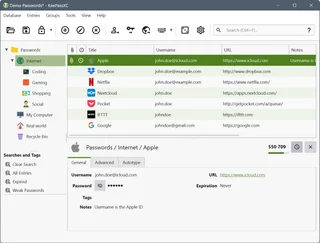
KeePassXC
KeePassXC: create a local KDBX password database, generate passwords, make backups and connect the browser extension.
Review and setup →
Ghost Browser
Ghost Browser: Session isolation and proxy settings. Purpose, access conditions, limitations and official sources.
Review and setup →
GoLogin
GoLogin: Profiles, members and plans. Purpose, access conditions, limitations and official sources.
Review and setup →Related reading

Passkey, TOTP or SMS: protection of the exchange account
Selection of the method of entry and preparation of access recovery.
Read article →
Fake support for the exchange: how to check the request
Checking the access to the installation of programs and the transfer of access.
Read article →About the author

Crypto, fintech and Web3 expert with a background in marketing. Covers digital-asset projects, industry risks and fraud prevention.
Professional websiteDocumentation and images
Official sources, image credits and review methods
- Download ixBrowser
- Documentation ixBrowser
- ixBrowser: illustration source
- ixBrowser
- Pricing
- Official ixBrowser logo; not an interface screenshot: illustration source — ixBrowser; official logo for editorial identification. Trademark rights remain with its owner..
The review was prepared on the project documentation. The installation and independent testing of the distribution within this material was not carried out. The rights to the interface and the names are reserved for the respective rights holders.