 EN
NetBird: review, download and setup
Connect your devices through WireGuard, install the client and test access rules.
What is NetBird used for?
NetBird combines devices into a private network based on WireGuard. The client is registered in the management system, and access between the nodes is determined by the rules. This is an option for a command that needs access to servers without manually exchanging the configurations of each tunnel.
You can use the cloud service NetBird or your own control system. These options differ in responsibility for updates, user login and service availability. Self-location requires server support.
| Item | Details |
|---|---|
| Platforms | Windows, macOS, Linux, Android, iOS |
| Use case | Networking and tunnels |
| Download source | Use the project’s official page and choose the build for your operating system. |
| Version and terms | Current builds and conditions of use are given from the developer. The review does not record the unchanged version number. |
Connect a device and test its access
Start with one pair of devices and a separate access group. After logging in, make sure that the client appears in the panel under the expected name. Configure the resolution only to the desired resource and check it from the user device.
The private network and the output of all traffic to the Internet are different scenarios. If you want access to a local subnet or output node, you need to configure them separately. The connection status by itself does not confirm the correctness of DNS and routes.
Download NetBird from the official website
Select the supported platform on the project page. The link leads to the selection of the distribution, and does not start the installation automatically.
Use the official download address. Check the signature or checksum if the project publishes one. Keep secret configuration files private when contacting support.
Getting started with NetBird
- Open the official instructions for your OS.
- Choose your own or your own control system.
- Log in and check the device registration in the panel.
- Assign a group and minimum access rule.
- Check the target service and then revoke the device's access.
NetBird interface and illustrations
Interface screenshots
The origin of the images is indicated in the sources below. The interface of the installed version may differ.
NetBirdNetBird: the main window of the desktop client
1 of 1. NetBird: NetBird: the main window of the desktop client
Limitations and data protection in NetBird
The device with authorized access remains part of the trusted network. Remove lost devices and revise the broad rules.
A remote subnet may require a routing node. The usual installation of the client does not automatically open all the resources behind him.
Alternatives for related tasks
WireGuard is convenient for a small manually configured network. NetBird adds device and policy management; Tailscale and ZeroTier offer other ways to organize similar access.
Questions and answers
Do I need a public address at every computer?
Normally no: NetBird uses connection and relaying mechanisms. The specific path depends on the network and the availability of components.
Can I place the management on your own?
Oh, yeah. The project has instructions for self-locating; the server, user input and updates need to be serviced.
Does NetBird automatically change the external IP?
Oh, no. Access to private nodes does not mean that all Internet traffic is directed through the output node.
Other tools for similar tasks
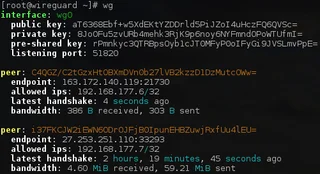
WireGuard
WireGuard: what a VPN tunnel does, where to download the client, and how to check keys, routes and DNS after connecting.
Review and setup →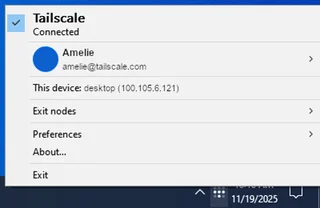
Tailscale
Tailscale: install the client, connect to your devices, manage network members and check routes without routing all traffic through the VPN.
Review and setup →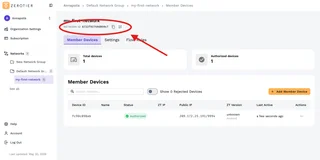
ZeroTier
ZeroTier: download official clients, create a private network, authorize devices in Central and verify access.
Review and setup →Related reading

Passkey, TOTP or SMS: protection of the exchange account
Selection of the method of entry and preparation of access recovery.
Read article →
Fake support for the exchange: how to check the request
Checking the access to the installation of programs and the transfer of access.
Read article →About the author

Crypto, fintech and Web3 expert with a background in marketing. Covers digital-asset projects, industry risks and fraud prevention.
Professional websiteDocumentation and images
Official sources, image credits and review methods
- Download NetBird
- Documentation NetBird
- NetBird: the main window of the desktop client: illustration source — Official materials docs.netbird.io; editorial illustration of the interface, rights of the rightholder.
The review was prepared on the project documentation. The installation and independent testing of the distribution within this material was not carried out. The rights to the interface and the names are reserved for the respective rights holders.