 EN
croc: review, download and setup
Send files from a terminal with a one-time code and verify who is receiving them.
What is croc used for?
croc transmits files between computers using the code that the sender reports to the recipient. The main interface works in the terminal. The project describes end-to-end encryption and connection establishment with the possibility of using the repeater.
The transfer code should be considered a secret for the session. Send it to the right person through the trusted channel. A short, user-friendly code is not an occasion to publish it in general correspondence.
| Item | Details |
|---|---|
| Platforms | Windows, macOS, Linux; other platforms are listed in the documentation |
| Use case | Secure file transfer |
| Download source | Use the project’s official page and choose the build for your operating system. |
| Version and terms | Current builds and conditions of use are given from the developer. The review does not record the unchanged version number. |
Send a test file between two computers
Install the croc on both sides and start with a small file. The sender starts the transfer, and the recipient enters the received code. Before confirming, check the file name and save directory.
After completion, open the result. For important data, compare checksums regardless of the success message. If the transmission suddenly came from an unknown person, do not take and do not start the contents.
Download croc from the official website
Select the supported platform on the project page. The link leads to the selection of the distribution, and does not start the installation automatically.
Use the official download address. Check the signature or checksum if the project publishes one. Keep secret configuration files private when contacting support.
Getting started with croc
- Download the release for both platforms from the official repository.
- Choose a small test file from the sender.
- Send the code to the expected recipient only.
- Check the file name and confirm the saving.
- Check the result and complete the session.
croc interface and illustrations
Interface screenshots
The origin of the images is indicated in the sources below. The interface of the installed version may differ.
croccroc: Demonstration of file transfer in the terminal
1 of 1. croc: croc: Demonstration of file transfer in the terminal
Limitations and data protection in croc
Network restrictions can affect the direct connection and availability of the repeater. Working on one network does not guarantee the same result in another.
Encryption of the channel does not make the resulting file secure. Check the origin and don't run unknown programs.
Alternatives for related tasks
LocalSend is convenient for graphical transmission on the local network. croc is suitable for terminal exchange between computers; it is better to compare Syncthing for constant synchronization.
Questions and answers
Does the recipient need an account?
The croc script uses the transfer code rather than registration of the croc.
Is the transfer always directly?
Oh, no. The project provides for the establishment of a direct connection and the use of a repeater, depending on the network conditions.
Can I reuse short code for all files?
It is better to use the codes created to transmit and not to distribute them publicly. The code provides access to the relevant session.
Other tools for similar tasks
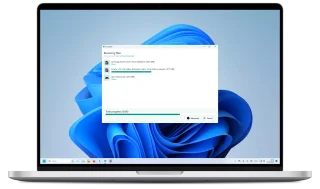
LocalSend
LocalSend: official apps, local file transfers between phones and computers, recipient checks and device discovery troubleshooting.
Review and setup →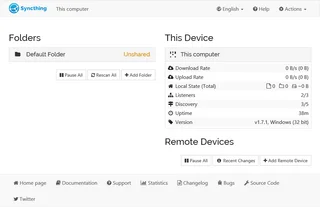
Syncthing
Syncthing: official downloads, device and folder setup, sync verification, propagation of deletions and the difference between sync and backup.
Review and setup →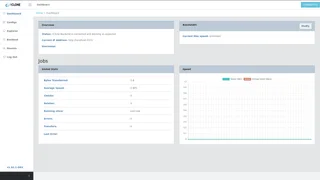
rclone
Copy or sync cloud files with rclone, verify the direction and explore its optional web interface.
Review and setup →Related reading

Passkey, TOTP or SMS: protection of the exchange account
Selection of the method of entry and preparation of access recovery.
Read article →
Fake support for the exchange: how to check the request
Checking the access to the installation of programs and the transfer of access.
Read article →About the author

Crypto, fintech and Web3 expert with a background in marketing. Covers digital-asset projects, industry risks and fraud prevention.
Professional websiteDocumentation and images
Official sources, image credits and review methods
- Download croc
- Documentation croc
- croc: Demonstration of file transfer in the terminal: illustration source — Official materials of github.com; editorial illustration of the interface, rights of the copyright holder.
The review was prepared on the project documentation. The installation and independent testing of the distribution within this material was not carried out. The rights to the interface and the names are reserved for the respective rights holders.