 EN
rclone: review, download and setup
Copy or sync cloud files with rclone, verify the direction and explore its optional web interface.
What is rclone used for?
rclone works with files in cloud storage and other supported systems via the command line. For each connection, remote is configured with the selected type of service and the authorization method.
The copy and synchronization commands differ. Sync can delete destination files to lead it to the source. Before the work, you need to check the path and the trial mode without recording.
| Item | Details |
|---|---|
| Platforms | Windows, macOS, Linux, FreeBSD and other systems |
| Use case | Secure file transfer |
| Download source | Use the project’s official page and choose the build for your operating system. |
| Version and terms | Current builds and conditions of use are given from the developer. The review does not record the unchanged version number. |
Run a safe first transfer between remotes
Set up a separate connection with the minimum required rights. First check the list of files and transfer a small test directory. Make sure that the local path and the remote name are not confused.
For large tasks, estimate the API quotas, the cost of operations and the limitations of the provider. Successful transfer does not confirm the existence of an independent backup: the storage and verification policy remains separate tasks.
Download rclone from the official website
Select the supported platform on the project page. The link leads to the selection of the distribution, and does not start the installation automatically.
Use the official download address. Check the signature or checksum if the project publishes one. Keep secret configuration files private when contacting support.
Getting started with rclone
- Download the assembly of the desired architecture from the official page.
- Configure the connection to the selected service.
- Check the list of files and the direction of the operation.
- Run a trial run without recording and study the plan.
- Transfer test data and check the result.
rclone interface and illustrations
Interface screenshots
The origin of the images is indicated in the sources below. The interface of the installed version may differ.
rclonerclone: extra web interface panel
1 of 1. rclone: rclone: extra web interface panel
Limitations and data protection in rclone
The configuration may contain access tokens and other secrets. Do not post it entirely in reports and support chats.
The shown web interface is additional and described by the developer as experimental. Do not open an API manager on the Internet without the necessary protection.
Alternatives for related tasks
FreeFileSync provides the usual graphical comparison of folders. rclone is more convenient for automation and many cloud services; its crypt-configation requires a separate study.
Questions and answers
rclone and its web interface are mandatory together?
Oh, no. The main tool works from the command line. The web interface is an additional component.
Are the cop and synchronization commands the same?
Oh, no. Synchronization can delete destination data. Before launch, check the assignment of the command and the trial plan.
Can I send a configuration for diagnosis?
Only after the deletion of tokens, passwords and other secrets. Full configuration can give access to storage.
Other tools for similar tasks
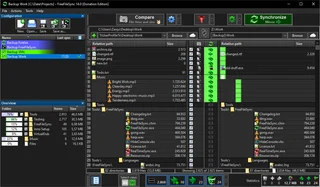
FreeFileSync
Compare folders and preview changes before running two-way sync or mirroring in FreeFileSync.
Review and setup →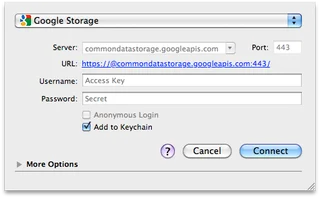
Cyberduck
Cyberduck: official downloads for Windows and macOS, SFTP and cloud storage access, server verification and secure transfers.
Review and setup →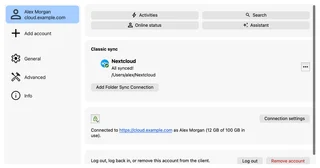
Nextcloud Desktop
Sync folders with your Nextcloud server, choose directories and check which files are available locally.
Review and setup →Related reading

Passkey, TOTP or SMS: protection of the exchange account
Selection of the method of entry and preparation of access recovery.
Read article →
Fake support for the exchange: how to check the request
Checking the access to the installation of programs and the transfer of access.
Read article →About the author

Crypto, fintech and Web3 expert with a background in marketing. Covers digital-asset projects, industry risks and fraud prevention.
Professional websiteDocumentation and images
Official sources, image credits and review methods
- Download rclone
- Documentation rclone
- rclone: extra web interface panel: illustration source — Official materials of github.com; editorial illustration of the interface, rights of the copyright holder.
The review was prepared on the project documentation. The installation and independent testing of the distribution within this material was not carried out. The rights to the interface and the names are reserved for the respective rights holders.