 EN
Syncthing: review, download and setup
Syncthing: official downloads, device and folder setup, sync verification, propagation of deletions and the difference between sync and backup.
What is Syncthing used for?
Syncthing syncs the selected folders between the allowed devices. It is suitable for the constant exchange of working files between their computers without placing content in a regular cloud disk. Devices and folders are added explicitly; the program should not access the entire disk by default.
Control is usually performed through a local web interface. It shows devices, folders, and transmission status. Availability of the second node, network settings and accepted permissions affect the result. The status of "connected" should be supplemented by checking a particular file and no conflicts.
| Item | Details |
|---|---|
| Platforms | Windows, macOS, Linux |
| Use case | Secure file transfer |
| Download source | Use the project’s official page and choose the build for your operating system. |
| Version and terms | Current builds and conditions of use are given from the developer. The review does not record the unchanged version number. |
Syncthing: authorizing devices and sharing a folder
Check the Device ID over a trusted channel and allow only the expected device. The common folder has its own identifier: the necessary directories must be agreed on two sides. For the first experience, create separate blank folders so as not to accidentally replace the contents of the work directory.
After transferring the test file, change it on one side and check the second. Separately, study the deletion behavior and the directional settings: synchronization can spread erroneous deletion to the rest of the devices. If these are the only copies of documents, the connection of several computers does not create a full recovery archive.
Download Syncthing from the official website
Select the supported platform on the project page. The link leads to the selection of the distribution, and does not start the installation automatically.
Use the official download address. Check the signature or checksum if the project publishes one. Keep secret configuration files private when contacting support.
Getting started with Syncthing
- Install the appropriate package from the official Syncthing page to two of your computers.
- Open the local interface and check the device identifiers before adding.
- Create a separate test folder and share it with the selected device.
- Confirm the folder on the second side and check the creation, change and delete the test file.
- Configure the desired folder mode, versioning and a separate independent backup.
Syncthing interface and illustrations
Interface screenshots
The origin of the images is indicated in the sources below. The interface of the installed version may differ.
SyncthingSyncthing: local web-based control interface
1 of 2. Syncthing: Syncthing: local web-based control interface
Limitations and data protection in Syncthing
Do not publish an administrative web interface on the Internet for the sake of convenience. This is a separate access to settings and data; remote management requires a well-thought-out protected method. Do not mix the synchronization permission with permission to manage the entire application.
Simultaneous changes to a single file can create conflicting copies. Databases and files that are constantly open by another program require their own consistency rules. Start with regular documents and check the recovery script before you connect an important work folder.
Alternatives for related tasks
Syncthing is designed for repetitive change of change. LocalSend is easier for a one-time transfer, Cyberduck for a server or cloud storage, KDE Connect - for the interaction of the phone and computer. These programs do not replace each other in all scenarios.
Questions and answers
Syncthing - a backup?
Synchronization spreads changes, including deletions. An independent verified archive is needed separately.
Do I need to confirm a new device?
Yes, check its identifier and allow the exchange only with the expected participants.
Can I sync any open database?
Not without checking the requirements of the application. Transmission of variable files does not guarantee the consistency of the work base.
Other tools for similar tasks
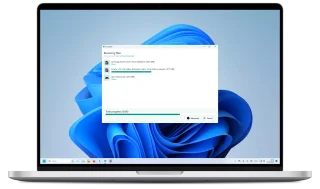
LocalSend
LocalSend: official apps, local file transfers between phones and computers, recipient checks and device discovery troubleshooting.
Review and setup →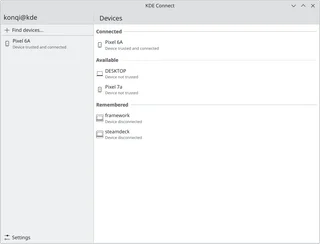
KDE Connect
KDE Connect: official apps, pairing phones and computers, file transfers, permissions for plugins and platform differences.
Review and setup →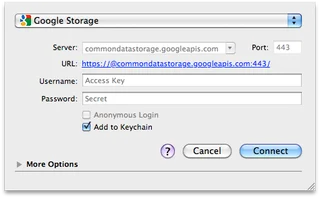
Cyberduck
Cyberduck: official downloads for Windows and macOS, SFTP and cloud storage access, server verification and secure transfers.
Review and setup →Related reading

Passkey, TOTP or SMS: protection of the exchange account
Selection of the method of entry and preparation of access recovery.
Read article →
Fake support for the exchange: how to check the request
Checking the access to the installation of programs and the transfer of access.
Read article →About the author

Crypto, fintech and Web3 expert with a background in marketing. Covers digital-asset projects, industry risks and fraud prevention.
Professional websiteDocumentation and images
Official sources, image credits and review methods
- Download Syncthing
- Documentation Syncthing
- Syncthing: local web-based control interface: illustration source — Official materials of docs.syncthing.net; editorial illustration of the interface, rights of the rightholder.
- Syncthing: review of the folder and status of devices: illustration source — Official materials of docs.syncthing.net; editorial illustration of the interface, rights of the rightholder.
The review was prepared on the project documentation. The installation and independent testing of the distribution within this material was not carried out. The rights to the interface and the names are reserved for the respective rights holders.