 EN
CyberChef: decode data and build repeatable recipes
CyberChef review: Base64, hex, dates and chained transformations in a browser. A worked example, local download, recipe sharing and data-handling limits.
What is CyberChef used for?
CyberChef is an open-source browser application for transforming and inspecting data. Drag operations into a recipe and read the result beside the input. It handles tasks such as decoding Base64, converting hexadecimal text and working with timestamps. The recipe records the sequence, making a repeated investigation easier to explain and reproduce.
| Item | Details |
|---|---|
| Platforms | Windows, macOS, Linux (Web) |
| Task | Network diagnostics |
| Download source | Use the project’s official page and choose the build for your operating system. |
| Version and terms | Check the version and licence on the developer’s website. |
CyberChef interface and illustrations
The screenshot shows the live web application with a harmless example: From Base64 converts SGVsbG8= to Hello. Operations are on the left, the recipe in the centre, and input and output on the right.
Interface screenshots
Image sources are listed below. Other versions may have a different interface.
CyberChefCyberChef: Base64 example in the live browser application
1 of 1. CyberChef: CyberChef: Base64 example in the live browser application
Download CyberChef from the official website
Open the official GCHQ-hosted application or download a standalone release from the project's repository. It is free under Apache-2.0 and runs in a compatible browser on Windows, macOS or Linux. Keep the local copy updated when relying on fixes.
Check the website address. Follow the developer’s instructions for verifying the file’s signature or checksum.
Getting started with CyberChef
- Open the official application and enter SGVsbG8= in Input.
- Find From Base64 in Operations and add it to Recipe.
- Read Hello in Output; if automatic processing is disabled, use Bake.
- Save the recipe with a meaningful name so its operations can be repeated.
- Before sharing a link or recipe, check whether input data is included and remove any sensitive value.
Who it suits
It is useful for developers, support staff and analysts who need to inspect an encoded field without writing a script. Start with a small known example; identify the representation before assuming that an unreadable string is encrypted.
Recipes, encodings and local processing
Each operation receives the previous operation's output. Order and parameters therefore change the result. Base64 represents bytes as text and needs no secret key; encryption is a different operation. Magic can suggest transformations, but a plausible-looking result still needs to fit the expected format and context.
- Use operation help to check accepted input and options.
- Keep a copy of the original data when comparing several recipes.
- For confidential material, use the approved local workflow and review operations that make network requests.
Ways to use CyberChef
| Option | Cost | Practical difference |
|---|---|---|
| Official web app | Free | Load the application from the official site |
| Downloaded release | Free, Apache-2.0 | Run a local copy in a browser |
| Saved recipe or link | Free | Preserve operations; review included input |
There is no subscription needed for the application. Large files and complex recipes consume browser memory and processing time. Test a sample before attempting a large transformation.
Limitations and data protection in CyberChef
Do not put passwords, recovery phrases or client records into shared recipe URLs. A URL can preserve input, even when the transformation happens locally.
CyberChef is a data-processing tool. A decoded document or URL still requires ordinary security judgement before opening or executing anything.
Alternatives for related tasks
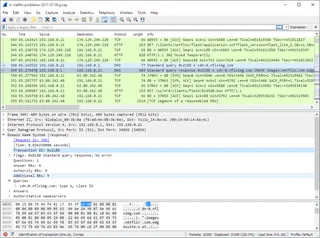
Wireshark captures and analyses network protocols. ExifTool reads and edits supported metadata. CyberChef works well when you already have a data fragment and need a visible sequence of transformations.
Questions and answers
Is Base64 encryption?
No. The example is reversible encoding and uses no secret key.
Can I work offline?
The project provides a downloadable application. Some operations still need network access; check the chosen recipe.
Does saving a recipe save my input?
Recipes and deep links have options for including input. Inspect those options before sharing.
Other tools for similar tasks
Wireshark
Wireshark: analyze your network traffic, choose an interface and filters, read captures and handle PCAP files safely.
Review and setup →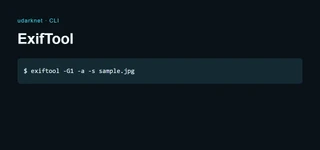
ExifTool
ExifTool review: read EXIF, IPTC and XMP, inspect GPS fields, edit supported tags and understand why PDF metadata changes remain reversible.
Review and setup →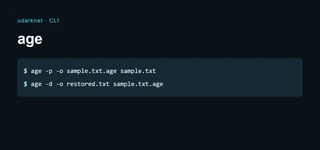
age
age review: encrypt files for a recipient, use a passphrase, keep identity keys recoverable and choose between a command-line file and an encrypted vault.
Review and setup →Related reading
Passkey, TOTP or SMS: protection of the exchange account
Selection of the method of entry and preparation of access recovery.
Read article →
Fake support for the exchange: how to check the request
Checking the access to the installation of programs and the transfer of access.
Read article →About the author

Crypto, fintech and Web3 expert with a background in marketing. Covers digital-asset projects, industry risks and fraud prevention.
Professional websiteDocumentation and images
Official sources, image credits and review methods
- Download CyberChef
- Documentation CyberChef
- Official source · github.com / CyberChef
- Official source · gchq.github.io / CyberChef
- Official source · github.com / LICENSE
The review was prepared on the project documentation. The installation and independent testing of the distribution within this material was not carried out. The rights to the interface and the names are reserved for the respective rights holders.