 EN
age: file encryption with recipients or a passphrase
age review: encrypt files for a recipient, use a passphrase, keep identity keys recoverable and choose between a command-line file and an encrypted vault.
What is age used for?
age is a command-line tool and file format for encryption. You can encrypt a file to a recipient's public key or protect it with a passphrase. The recipient decrypts with the matching private identity; a passphrase-protected file requires the chosen passphrase instead.
It fits scripts, archives and occasional encrypted handoffs. The tool works with files and streams rather than presenting a mounted folder or a cloud account. That makes the input, output and key handling explicit.
| Item | Details |
|---|---|
| Platforms | Windows, macOS, Linux |
| Task | File encryption |
| Download source | Use the project’s official page and choose the build for your operating system. |
| Version and terms | Official documentation checked 15 November 2026. File encryption tool, format and Go library; BSD 3-Clause. |
age interface and illustrations
age uses a terminal. The illustration shows the documented passphrase workflow as an editorial command example, not a screenshot of a graphical app. The password is entered at the prompt rather than written into the command.
Editorial command example
Illustrative commands from the official documentation; no execution result is shown.
ageEditorial command example
1 of 1. age: Editorial command example
Download age from the official website
The official repository links to release binaries and installation routes for Windows, macOS and Linux. Choose the build for your operating system and processor. The project uses a BSD 3-Clause licence and has no subscription service to activate.
Keep a copy of the original until you have successfully decrypted the output. Record where the identity key or passphrase can be recovered after losing the current computer.
Getting started with age
- Install age from the official release or a documented package source.
- For a first test, create a disposable text file without secrets.
- Encrypt it with age -p -o sample.txt.age sample.txt and enter a strong passphrase at the prompt.
- Decrypt to a different path with age -d -o restored.txt sample.txt.age.
- Open restored.txt and compare its contents with the original.
- For recipient-based sharing, generate an identity with age-keygen, exchange only the public recipient and keep the identity file private.
Encrypted handoffs and scripted archives
A developer can encrypt an exported configuration before moving it to another machine. A small team can encrypt an archive to several intended recipients. A personal user can protect a single file with a passphrase when a mounted encrypted folder would be unnecessary.
Recipients, identities and passphrases
| Method | What the sender needs | What decrypts the file |
|---|---|---|
| Recipient key | Recipient's public age key | Matching private identity |
| Several recipients | Each public recipient | Any matching identity |
| Passphrase | A strong shared passphrase | The same passphrase |
Public and private material
The public recipient can be shared with people sending you files. The identity file must remain private. A native identity generated by age-keygen is sensitive key material; protect its storage and backup. Losing every usable identity or the passphrase means losing the route to the encrypted content.
Files, archives and shell workflows
To encrypt a directory, first create an archive with an appropriate archive tool, then encrypt that archive. This preserves the distinction between collecting files and encrypting their bytes. In scripts, choose explicit output paths and check the process result before deleting or replacing anything.
A practical handoff
- Confirm the recipient key through a trusted communication route.
- Create the archive and encrypt it to the intended recipients.
- Transfer the encrypted output through your chosen file service.
- Have the recipient test decryption before removing the source copy.
Key recovery and integrations
The project documents integrations and plugins, including hardware-token workflows. Each adds its own setup and recovery requirements. Establish a simple working file round trip first, then add automation or hardware only when it serves your actual use case.
Keep recovery independent of one device
Store the necessary identity or passphrase in a protected location you can reach after a device failure. Test with a sample file on another trusted environment. An encrypted backup of the identity is useful only if its own unlocking information is also recoverable.
Limitations and data protection in age
age encrypts the supplied data; it does not schedule backups, synchronize folders or securely erase the plaintext input. Those remain separate steps.
Encryption to a public recipient does not identify the sender. If the recipient also needs to authenticate who released a file, use a suitable signature workflow alongside encryption.
Alternatives for related tasks
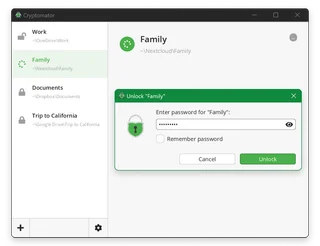
Cryptomator provides a folder-oriented encrypted vault; VeraCrypt offers encrypted containers or volumes. Gpg4win supports OpenPGP workflows. age suits a smaller task: explicitly encrypting files and streams with a concise command-line interface.
Questions and answers
Can I encrypt for several people?
Yes. Supply the intended public recipients; a matching private identity can decrypt the result.
Can age recover a lost private key?
No recovery service holds your identity. Keep a protected recovery copy before relying on encrypted archives.
Is encryption the same as a signature?
No. Encryption controls who can read the data. A signature helps verify a file against a trusted signing key.
Other tools for similar tasks
Cryptomator
Cryptomator: encrypt files before syncing to the cloud, create a vault, save a recovery key and back up your files.
Review and setup →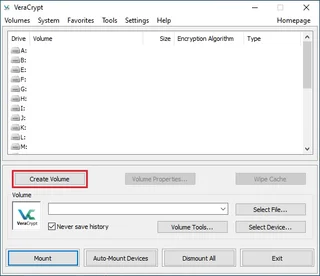
VeraCrypt
VeraCrypt: create a file container, mount and dismount it, plan backups and understand what volume encryption protects.
Review and setup →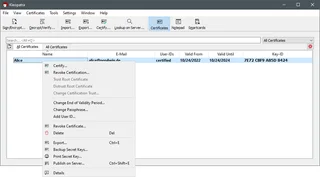
Gpg4win
Gpg4win: encrypt and sign files on Windows with Kleopatra, exchange public keys, verify fingerprints and back up the private key.
Review and setup →Related reading
Passkey, TOTP or SMS: protection of the exchange account
Selection of the method of entry and preparation of access recovery.
Read article →
Fake support for the exchange: how to check the request
Checking the access to the installation of programs and the transfer of access.
Read article →About the author

Crypto, fintech and Web3 expert with a background in marketing. Covers digital-asset projects, industry risks and fraud prevention.
Professional websiteDocumentation and images
Official sources, image credits and review methods
- Download age
- Documentation age
- Official documentation · github.com / age.1.html
- Official documentation · github.com / LICENSE
The review was prepared on the project documentation. The installation and independent testing of the distribution within this material was not carried out. The rights to the interface and the names are reserved for the respective rights holders.