 EN
HTTP Toolkit: review, download and setup
Debug HTTP requests from your application. Select a traffic source, find a request and inspect its response.
What is HTTP Toolkit used for?
HTTP Toolkit shows requests and responses of applications that direct traffic through its proxy. So you can check the title, response code and the query body after the error is played. Start with a test browser or application that you manage.
To view HTTPS, a proxy must use a certificate that the test client trusts. Applications with certificates or their own trust repository may refuse to connect. Use the debugging configuration for your application.
| Item | Details |
|---|---|
| Platforms | Windows, macOS, Linux |
| Use case | Network diagnostics |
| Download source | Use the project’s official page and choose the build for your operating system. |
| Version and terms | Current builds and conditions of use are given from the developer. The review does not record the unchanged version number. |
Inspect one request in a test environment
On the Intercept tab, select a browser or other supported source. Play the action with a test account. Compare the desired request with the service address and error time.
Write the response code and the minimum set of parameters. Before transferring the log, remove the tokens, cookies, personal data and internal addresses.
Download HTTP Toolkit from the official website
Select the supported platform on the project page. The link leads to the selection of the distribution, and does not start the installation automatically.
Use the official download address. Check the signature or checksum if the project publishes one. Keep secret configuration files private when contacting support.
Getting started with HTTP Toolkit
- Download the desktop app for your OS.
- Open Intercept and select the test browser.
- Reproduce one script and find a query.
- Check the headlines and answer to synthetic data.
- Complete the interception and remove the temporary trust in the certificate if you added it manually.
HTTP Toolkit interface and illustrations
Interface screenshots
The origin of the images is indicated in the sources below. The interface of the installed version may differ.
HTTP ToolkitHTTP Toolkit: selection of application for query interception
1 of 1. HTTP Toolkit: HTTP Toolkit: selection of application for query interception
Limitations and data protection in HTTP Toolkit
The interception works only for traffic passing through the proxy. Other tools are needed to verify packet losses and route.
On Android, the result depends on the settings of the approval and device. Use the permitted test environment as the capture may contain secrets.
Alternatives for related tasks
Wireshark is useful for diagnostics at the packet level. HTTP Toolkit is more convenient when you need to disassemble the content of the HTTP exchange in the test application.
Questions and answers
Will HTTP Toolkit show any HTTPS traffic?
Oh, no. The app should send traffic through a proxy and trust its certificate.
What to keep during debugging?
The answer code, the titles you need and the reproducible parameters. Remove tokens and personal data.
Can I test Android?
Oh, yeah. The documentation describes individual options for the device and the emulator, as well as HTTPS restrictions.
Other tools for similar tasks
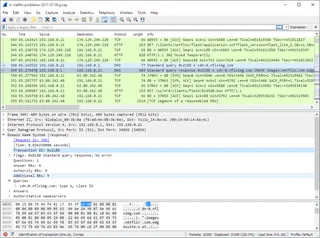
Wireshark
Wireshark: analyze your network traffic, choose an interface and filters, read captures and handle PCAP files safely.
Review and setup →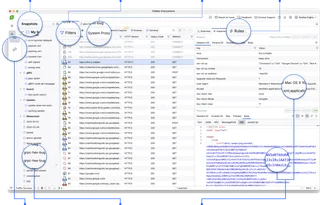
Fiddler Everywhere
Debug HTTP and HTTPS in Fiddler Everywhere, filter sessions and handle captured data safely.
Review and setup →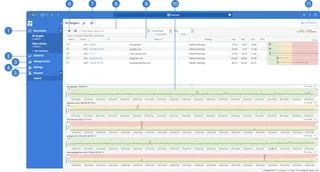
PingPlotter
Measure latency and packet loss over time to investigate intermittent connection problems.
Review and setup →Related reading

Passkey, TOTP or SMS: protection of the exchange account
Selection of the method of entry and preparation of access recovery.
Read article →
Fake support for the exchange: how to check the request
Checking the access to the installation of programs and the transfer of access.
Read article →About the author

Crypto, fintech and Web3 expert with a background in marketing. Covers digital-asset projects, industry risks and fraud prevention.
Professional websiteDocumentation and images
Official sources, image credits and review methods
- Download HTTP Toolkit
- Documentation HTTP Toolkit
- HTTP Toolkit: selection of application for query interception: illustration source — Official materials httptoolkit.com; editorial illustration of the interface, rights of copyright retained.
The review was prepared on the project documentation. The installation and independent testing of the distribution within this material was not carried out. The rights to the interface and the names are reserved for the respective rights holders.