 EN
PingPlotter: review, download and setup
Measure latency and packet loss over time to investigate intermittent connection problems.
What is PingPlotter used for?
PingPlotter regularly checks the availability of the target and builds a timetable. This helps to dismantle failures that are not visible by one launch of traceroute. As a goal, take the known address of the problematic service.
The screenplay shows the PingPlotter Professional web interface. The composition of functions and access to the web interface depend on the editorial board. Check them on the developer's website before installation.
| Item | Details |
|---|---|
| Platforms | Windows, macOS |
| Use case | Network diagnostics |
| Download source | Use the project’s official page and choose the build for your operating system. |
| Version and terms | Current builds and conditions of use are given from the developer. The review does not record the unchanged version number. |
Compare an intermediate hop with the destination
Record a few minutes of measurements during the problem and compare them with the failure time. For comparison, repeat the test in a stable period or connect via cable.
Losses on the lossless intermediate node on subsequent nodes may reflect the limitation of responses to diagnostic packets. First, look at the final address, and then check where the steady effect begins to appear.
Download PingPlotter from the official website
Select the supported platform on the project page. The link leads to the selection of the distribution, and does not start the installation automatically.
Use the official download address. Check the signature or checksum if the project publishes one. Keep secret configuration files private when contacting support.
Getting started with PingPlotter
- Download the customer from the official page.
- Enter the service address and start the surveillance.
- Record the failure time and connection conditions.
- Compare delay and loss at the end point.
- When transferring the chart, hide the internal addresses and names.
PingPlotter interface and illustrations
Interface screenshots
The origin of the images is indicated in the sources below. The interface of the installed version may differ.
PingPlotterPingPlotter Professional: web-based route surveillance interface
1 of 1. PingPlotter: PingPlotter Professional: web-based route surveillance interface
Limitations and data protection in PingPlotter
The route may change. The measurements describe a specific interval and verification method, so compare the same conditions.
Some services limit diagnostic responses. The schedule does not determine the cause of the failure itself.
Alternatives for related tasks
Wireshark helps to learn local packet capture. PingPlotter is more convenient for long-term route measurement and time comparison.
Questions and answers
Losses on one node mean a breakdown?
You don't have to. If the subsequent nodes and the goal meet stable, the reason may be in limiting the responses to the diagnosis.
What to pass to the provider?
Interval, type of connection, target address and an impersonal graph with the observed effect.
Do all the web interfaces have any editors?
Check the official list of opportunities. The illustration shows the Professional interface.
Other tools for similar tasks
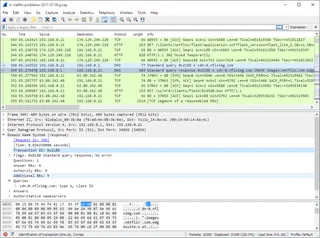
Wireshark
Wireshark: analyze your network traffic, choose an interface and filters, read captures and handle PCAP files safely.
Review and setup →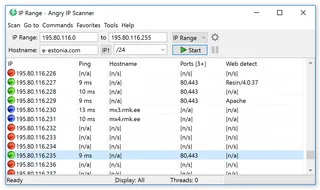
Angry IP Scanner
Angry IP Scanner: inventory an authorized local network, select address ranges, interpret results and understand reachability checks.
Review and setup →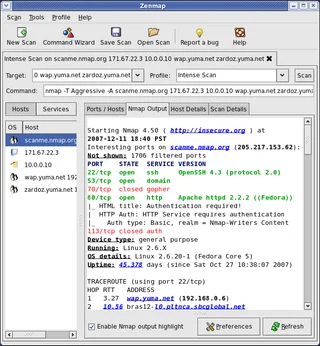
Zenmap
Zenmap: the official graphical interface for Nmap, scan profiles, result interpretation and checks within authorized network ranges.
Review and setup →Related reading

Passkey, TOTP or SMS: protection of the exchange account
Selection of the method of entry and preparation of access recovery.
Read article →
Fake support for the exchange: how to check the request
Checking the access to the installation of programs and the transfer of access.
Read article →About the author

Crypto, fintech and Web3 expert with a background in marketing. Covers digital-asset projects, industry risks and fraud prevention.
Professional websiteDocumentation and images
Official sources, image credits and review methods
- Download PingPlotter
- Documentation PingPlotter
- PingPlotter Professional: web-based route surveillance interface: illustration source — Official materials www.pingplotter.com; editorial illustration of the interface, rights of copyright holder.
The review was prepared on the project documentation. The installation and independent testing of the distribution within this material was not carried out. The rights to the interface and the names are reserved for the respective rights holders.