 EN

Infatica: Network type and connection sourcing
Infatica: Network type and connection sourcing. Purpose, access conditions, limitations and official sources.
What is Infatica used for?
Infatica offers residential, ISP, mobile and separate IPv6 products. Network labels are not enough: your application and target resource must support the required protocol and address family.
| Item | Details |
|---|---|
| Platforms | Web client |
| Task | Proxy services |
| Service connection | Connection settings and terms are provided by the supplier. |
| Version and terms | Check prices and limits before paying. Buying access does not require contributing your own bandwidth. |
What to check before setup
Separate buying proxies from joining bandwidth contribution programmes. A customer paying for outbound traffic should not automatically install a bandwidth supplier's SDK or application. Check the purpose of each download.
Official Infatica website
The link opens the provider's official website. Check the product and terms before registering or paying.
Keep proxy passwords out of shared logs and public support requests. Replace credentials after disclosure.
Getting started with Infatica
- Define the authorised task, exit country, protocol and required session duration.
- Check pricing, minimum payment, authentication and usage restrictions in official documentation.
- Configure one test client; keep secrets separate from logs and shared configuration.
- On your own test resource, check routing, errors, data usage and behaviour when the allowance runs out.
- Record renewal dates and confirm how to cancel the subscription before relying on the service.
Infatica interface and illustrations
Infatica logo
Official Infatica logo; not an interface screenshot
InfaticaOfficial Infatica logo; not an interface screenshot
1 of 1. Infatica: Official Infatica logo; not an interface screenshot
Limitations and data protection in Infatica
Statements about participant consent and address sourcing belong to the provider. Review contractual explanations rather than drawing conclusions from “residential”. Record network type, plan and observed results in your own test without promising anonymity.
This is a review of public documentation, not an installation test, security audit or performance benchmark.
Alternatives for related tasks
A proxy is configured in a particular application and may not cover the whole computer. Compare VPN tunnels for network access to your own resources, and profile browsers for separating browser sessions. These are different tasks.
Questions and answers
Does buying proxies require a separate installation?
Connections are usually configured in a compatible client. Check the product: a bandwidth contribution app and a buyer interface are different things.
Does a proxy hide an account login from the website?
No. A logged-in site sees the account and its actions. A different IP does not make someone anonymous or replace HTTPS, device protection or permission to collect data.
Is a free plan enough for permanent use?
Check its duration, profile or traffic limits, and what happens after inactivity. Trial access does not establish permanent free access.
Other tools for similar tasks
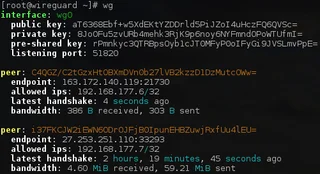
WireGuard
WireGuard: what a VPN tunnel does, where to download the client, and how to check keys, routes and DNS after connecting.
Review and setup →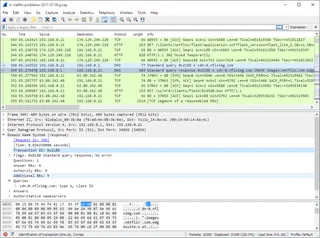
Wireshark
Wireshark: analyze your network traffic, choose an interface and filters, read captures and handle PCAP files safely.
Review and setup →
Webshare
Webshare: Address lists and rotating networks. Purpose, access conditions, limitations and official sources.
Review and setup →Related reading

Passkey, TOTP or SMS: protection of the exchange account
Selection of the method of entry and preparation of access recovery.
Read article →
Fake support for the exchange: how to check the request
Checking the access to the installation of programs and the transfer of access.
Read article →About the author

Crypto, fintech and Web3 expert with a background in marketing. Covers digital-asset projects, industry risks and fraud prevention.
Professional websiteDocumentation and images
Official sources, image credits and review methods
- Download Infatica
- Documentation Infatica
- Infatica: illustration source
- Infatica
- Official Infatica logo; not an interface screenshot: illustration source — Infatica; official logo for editorial identification. Trademark rights remain with its owner..
The review was prepared on the project documentation. The installation and independent testing of the distribution within this material was not carried out. The rights to the interface and the names are reserved for the respective rights holders.