 EN
KeePassDX: review, download and setup
KeePassDX: a local password database on Android, trusted installation sources, autofill, locking and KDBX backups.
What is KeePassDX used for?
KeePassDX opens and edits encrypted KeePass databases on Android. The application is suitable for those who want to use the password file from the phone and choose its own storage. This is a separate Kunzisoft project, not KeePassXC mobile assembly. The official website and the repository link it to installation channels and documentation.
The developer describes password support, disposable codes, autocompletes, and other record types. To begin with, a normal test base is enough: first check the opening, save and lock. Compatibility of the file does not mean that each integration of the desktop program will work on the phone in the same way.
| Item | Details |
|---|---|
| Platforms | Android |
| Use case | Password managers |
| Download source | Use the project’s official page and choose the build for your operating system. |
| Version and terms | Current builds and conditions of use are given from the developer. The review does not record the unchanged version number. |
KeePassDX: the database file, Android and autofill
Access to the database is associated with the selected storage place and the Android file provider. If the file provides a cloud-based application, the synchronization depends on it. After the recording is changed, make sure that the new option has reached another device. Do not edit important records simultaneously in two copies until the procedure for resolving conflicts has been checked.
Auto-filling helps to insert the credential data into applications and web forms. Before you turn on, select KeePassDX in the Android settings and check it on a test account. The name of the entry, the site address and the application request must match where you are going to log in. Biometric opening is convenient, but does not cancel the knowledge of the master password and the availability of the necessary key files.
Download KeePassDX from the official website
Select the supported platform on the project page. The link leads to the selection of the distribution, and does not start the installation automatically.
Use the official download address. Check the signature or checksum if the project publishes one. Keep secret configuration files private when contacting support.
Getting started with KeePassDX
- Open the KeePassDX site and go to one of the installation channels specified by the developer.
- Create a test base or open a copy of the existing KeePass database.
- Check access to the file and all the components of the master key after restarting the application.
- Add a test record, save the base and check the change on another device if you use synchronization.
- Enable the Android auto-fill and try logging in to the test account.
- Configure the lock, make a separate copy and check the recovery without biometrics.
KeePassDX interface and illustrations
Interface screenshots
The origin of the images is indicated in the sources below. The interface of the installed version may differ.
KeePassDXList of KeePassDX on Android
1 of 1. KeePassDX: List of KeePassDX on Android
Limitations and data protection in KeePassDX
Changing the installation source can affect the update of the application due to differences in the signature of the builds. Do not remove the work program and the only access to the base for the sake of crossing between stores. Save the file first and check the master key on another compatible device.
KeePassDX has no universal cloud password reset. Prepare a recovery plan for loss of the database, key file or master password. Never attach your database and keys to a public bug report. If a sync conflict occurs, save both copies before deciding which to overwrite.
Alternatives for related tasks
For a desktop computer, compare KeePass and KeePassXC. KeePassDX complements the file approach on Android. If you are more convenient to manage synchronization through an account, study Bitwarden: transfer to another storage model requires export checks, login and backup.
Questions and answers
KeePassDX synchronizes the base between all devices?
The method of access and synchronization depends on the place of storage of the file and the file provider. Check saving changes on the test base before co-editing.
After the print is turned on, the master password is not needed anymore?
It remains part of the recovery plan. Biometric unlocking may become unavailable after changing settings, reinstalling or changing the device.
Where to get the app without random APK-mirror?
Use the links of the official site and the repository Kunzisoft/KeePassDX. There are listed supported installation channels and build information.
Other tools for similar tasks
KeePass
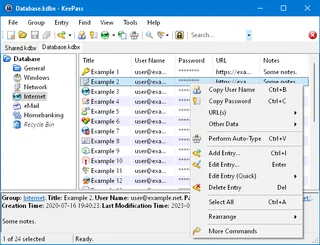
KeePass: local KDBX password databases, official downloads, master key setup, password generation and backup verification.
Review and setup →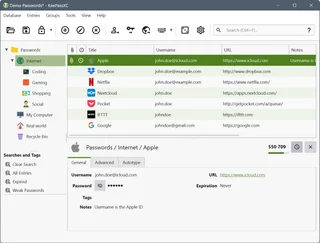
KeePassXC
KeePassXC: create a local KDBX password database, generate passwords, make backups and connect the browser extension.
Review and setup →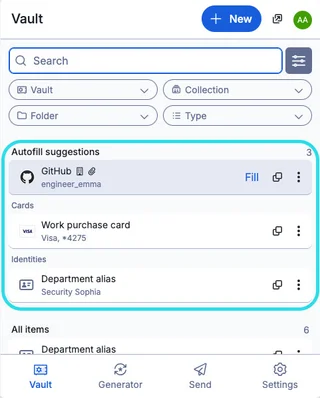
Bitwarden
Bitwarden: official downloads, extension setup, autofill, account protection and access recovery.
Review and setup →Related reading

Passkey, TOTP or SMS: protection of the exchange account
Selection of the method of entry and preparation of access recovery.
Read article →
Fake support for the exchange: how to check the request
Checking the access to the installation of programs and the transfer of access.
Read article →About the author

Crypto, fintech and Web3 expert with a background in marketing. Covers digital-asset projects, industry risks and fraud prevention.
Professional websiteDocumentation and images
Official sources, image credits and review methods
- Download KeePassDX
- Documentation KeePassDX
- KeePassDX's official repository and installation channels
- Sync of KeePassDX files
- List of KeePassDX on Android: illustration source — Kunzisoft / KeePassDX, official repository, GPL-3.0.
The review was prepared on the project documentation. The installation and independent testing of the distribution within this material was not carried out. The rights to the interface and the names are reserved for the respective rights holders.