 EN
KeePassium: review, download and setup
KeePassium for iOS and macOS: official downloads, KeePass databases, autofill, file provider sync and backups.
What is KeePassium used for?
KeePassium opens KeePass password bases on Apple devices. It's suitable for those who want to use an existing storage file on the iPhone, iPad or Mac and choose where this file is stored. Built-in auto-filling helps to log in to the applications and sites without constant copying of the password.
The official website is on the App Store; this channel is indicated in the download button. Test assemblies are distributed separately. The availability of functions depends on the editorial and current plan: support for a specific scenario, including several bases and additional ways to unlock, check with current documentation and tariffs.
| Item | Details |
|---|---|
| Platforms | iOS, macOS |
| Use case | Password managers |
| Download source | Use the project’s official page and choose the build for your operating system. |
| Version and terms | Current builds and conditions of use are given from the developer. The review does not record the unchanged version number. |
KeePassium: the KeePass database and file sync
Cloud synchronization relies on the file provider through which the database is available. This is a separate layer: the presence of a file in the list does not guarantee that the fresh correction has already reached another device. Create a test record, close the database and make sure the change appears on the second side without copy conflict.
Unlocking via Face ID or Touch ID facilitates everyday login, but does not replace master password and recovery materials. After reinstalling, changing the phone or failing the provider, you may need a full set of access data. Keep the backup of the database separately from the single synchronized folder.
Download KeePassium from the official website
Select the supported platform on the project page. The link leads to the selection of the distribution, and does not start the installation automatically.
Use the official download address. Check the signature or checksum if the project publishes one. Keep secret configuration files private when contacting support.
Getting started with KeePassium
- Go to the App Store at the official project link and check the compatibility of the device.
- Create a test base or add a copy of your KeePass database.
- Configure the file provider and check the recording from another device.
- Turn on the auto-filling in the system settings and test it on one account.
- Save a separate backup and check the opening of the base with a master password.
KeePassium interface and illustrations
Interface screenshots
The origin of the images is indicated in the sources below. The interface of the installed version may differ.
KeePassiumKeePassium: list of password databases
1 of 2. KeePassium: KeePassium: list of password databases
Limitations and data protection in KeePassium
Compatibility does not mean the same support for all extensions and additional fields in all clients. Before transferring the main database, check the important records, attachments and method of opening. Do not delete the original file immediately after the first successful launch.
Copying the password to the clipboard and the open database create additional access points on the device itself. Use a screen lock, a reasonable storage closing timer, and autocomplete for the right domain. The app does not automatically determine whether the site is trustworthy.
Alternatives for related tasks
KeePassium is an option for the Apple ecosystem and KeePass files. KeePassDX solves a similar problem on Android, and KeePassXC is on desktop systems. Password Safe uses a different database format, so it's a separate repository, not another client of the same file.
Questions and answers
Does KeePassium sync passwords on your own server?
The usual work with the database relies on the selected location of the file and the file provider. Check the settings of a particular storage.
Can you restore the forgotten master password through Face ID?
Biometric unlocking is not a universal recovery. Save the necessary access data and a verified copy of the database.
Are all the functions for free?
The project offers different opportunities and plans. Before choosing, check the desired function with the official tariff page.
Other tools for similar tasks
KeePassXC
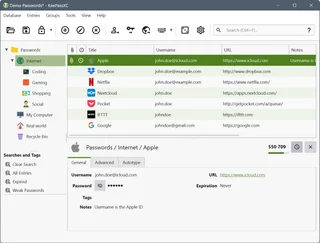
KeePassXC: create a local KDBX password database, generate passwords, make backups and connect the browser extension.
Review and setup →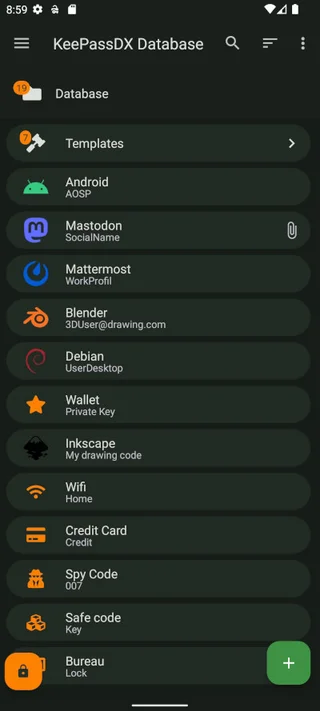
KeePassDX
KeePassDX: a local password database on Android, trusted installation sources, autofill, locking and KDBX backups.
Review and setup →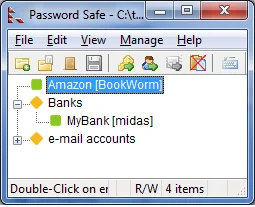
Password Safe
Password Safe: official download, psafe3 database setup, record groups, safe password entry and backup verification.
Review and setup →Related reading

Passkey, TOTP or SMS: protection of the exchange account
Selection of the method of entry and preparation of access recovery.
Read article →
Fake support for the exchange: how to check the request
Checking the access to the installation of programs and the transfer of access.
Read article →About the author

Crypto, fintech and Web3 expert with a background in marketing. Covers digital-asset projects, industry risks and fraud prevention.
Professional websiteDocumentation and images
Official sources, image credits and review methods
- Download KeePassium
- Documentation KeePassium
- Official website of KeePassium
- KeePassium features and rates
- KeePassium: list of password databases: illustration source — Official materials keepassium.com; editorial illustration of the interface, the rights of the copyright holder are preserved.
- KeePassium: viewing recording fields: illustration source — Official materials keepassium.com; editorial illustration of the interface, the rights of the copyright holder are preserved.
The review was prepared on the project documentation. The installation and independent testing of the distribution within this material was not carried out. The rights to the interface and the names are reserved for the respective rights holders.