 EN
Password Safe: review, download and setup
Password Safe: official download, psafe3 database setup, record groups, safe password entry and backup verification.
What is Password Safe used for?
Password Safe stores passwords and account details in an encrypted database. Instead of memorizing a separate secret for each site, the user opens the repository with a master password and selects the desired record. Groups help to divide the workers, personal and rarely used accounts.
The project packages for Windows and Linux are available on the official page. Links to other compatible applications do not make them the same product: separately check the developer, support the format and capabilities of the selected client. The Password Safe database usually has the .psafe3 extension and is not a KeePass KDBX file.
| Item | Details |
|---|---|
| Platforms | Windows, Linux |
| Use case | Password managers |
| Download source | Use the project’s official page and choose the build for your operating system. |
| Version and terms | Current builds and conditions of use are given from the developer. The review does not record the unchanged version number. |
Password Safe: database setup and access checks
Start with a new base and one insignificant record. Enter the user name, username and site address, then close the program and open the file again. This short cycle checks that you remember the master password and know where the repository is. Only after that, transfer important accounts.
When entering a password through the clipboard or automatic set, check the active window and page address. Automation does not confirm that the recipient is correct. To recover, you need a readable copy of the database and a password to it: one empty file or an unverified archive will not provide access after a disk failure.
Download Password Safe from the official website
Select the supported platform on the project page. The link leads to the selection of the distribution, and does not start the installation automatically.
Use the official download address. Check the signature or checksum if the project publishes one. Keep secret configuration files private when contacting support.
Getting started with Password Safe
- Choose a Password Safe package for your system on the official website.
- Create a new base with a separate long masterphrase.
- Add a test record and check it after the program is closed.
- Configure the groups and check the data input only to the intended window.
- Copy the closed base to the backup place and confirm that the copy is opened.
Password Safe interface and illustrations
Interface screenshots
The origin of the images is indicated in the sources below. The interface of the installed version may differ.
Password SafePassword Safe: groups and database records
1 of 2. Password Safe: Password Safe: groups and database records
Limitations and data protection in Password Safe
Password Safe has no universal master-password reset that can decrypt a lost database. A filename or cloud account password may have no connection to the encryption of the vault.
If the database is in a synchronized folder, check the behavior when simultaneously changes on two computers. Conflicting copies and deleting the file require a separate recovery plan. Synchronization does not replace the history of independent backups.
Alternatives for related tasks
Password Safe is suitable for a separate local password database. KeePass and KeePassXC use another family of formats, and Bitwarden is building a script around the synchronised storage and customers. To change the product, you need a verified transfer of records, not a simple renaming of the file.
Questions and answers
Will the KeePass base open in Password Safe?
These are different formats. To transfer, use the supported import and first check the data copy.
What to do if you lose the master password?
Check the saved recovery materials. There is no universal reset that reveals the encrypted database.
Customers for iPhone on the site - the same Password Safe?
The site may contain links to individual compatible applications. Their developer and support need to be checked on your own.
Other tools for similar tasks
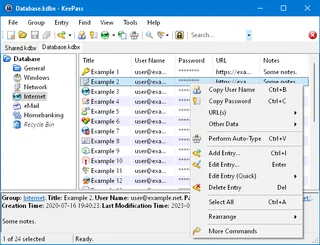
KeePass
KeePass: local KDBX password databases, official downloads, master key setup, password generation and backup verification.
Review and setup →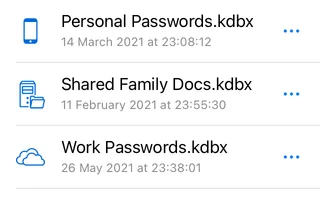
KeePassium
KeePassium for iOS and macOS: official downloads, KeePass databases, autofill, file provider sync and backups.
Review and setup →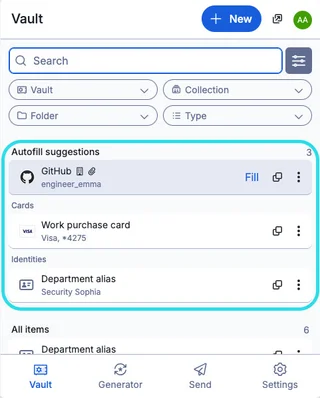
Bitwarden
Bitwarden: official downloads, extension setup, autofill, account protection and access recovery.
Review and setup →Related reading

Passkey, TOTP or SMS: protection of the exchange account
Selection of the method of entry and preparation of access recovery.
Read article →
Fake support for the exchange: how to check the request
Checking the access to the installation of programs and the transfer of access.
Read article →About the author

Crypto, fintech and Web3 expert with a background in marketing. Covers digital-asset projects, industry risks and fraud prevention.
Professional websiteDocumentation and images
Official sources, image credits and review methods
- Download Password Safe
- Documentation Password Safe
- Password Safe: groups and database records: illustration source — Official materials of pwsafe.org; editorial illustration of the interface, rights of copyright holder.
- Password Safe: creating a new base: illustration source — Official materials of pwsafe.org; editorial illustration of the interface, rights of copyright holder.
The review was prepared on the project documentation. The installation and independent testing of the distribution within this material was not carried out. The rights to the interface and the names are reserved for the respective rights holders.