 EN
Minisign: verify file signatures and sign your own releases
Minisign review: verify a .minisig file with a trusted public key, create signing keys and distinguish a digital signature from a checksum or encryption.
What is Minisign used for?
Minisign signs files and verifies detached digital signatures using Ed25519. A publisher distributes the file and a small signature file; the reader checks them against the publisher's public key. The original file remains readable because signing is not encryption.
The important starting point is the key. A successful verification ties the file to the key you supplied. Obtain that public key through a trusted project channel rather than assuming that a key bundled with an unknown download belongs to its claimed publisher.
| Item | Details |
|---|---|
| Platforms | Windows, macOS, Linux |
| Task | File encryption |
| Download source | Use the project’s official page and choose the build for your operating system. |
| Version and terms | Official documentation checked 15 November 2026. Ed25519 signatures; ISC licence. |
Minisign interface and illustrations
Minisign is a command-line tool. The illustration shows a documented verification command as an editorial example. File names are placeholders; no actual downloaded release is being certified by the illustration.
Editorial command example
Illustrative commands from the official documentation; no execution result is shown.
MinisignEditorial command example
1 of 1. Minisign: Editorial command example
Download Minisign from the official website
The official project page links to Windows, macOS and Linux distributions, source code and a WebAssembly option. Choose the distribution appropriate to your environment. Minisign is free software under the ISC licence.
To verify someone else's file, you need their public key, the exact file and its matching signature. You do not need to generate your own key pair.
Getting started with Minisign
- Install Minisign through the official project's documented download route.
- Obtain the publisher's public key from its trusted documentation and keep a record of that source.
- Download the intended file and matching .minisig signature without changing their contents.
- Place the signature beside the file using the expected name, such as release.zip.minisig.
- Run minisign -Vm release.zip -p publisher.pub, substituting the actual paths.
- Read the verification result. If it fails, stop and check the file, signature and key instead of bypassing the check.
Software downloads, release archives and signed documents
A user can verify a release published with a Minisign signature. A developer can sign an archive for distribution. A team can use signatures to check that an approved file has not changed since it was signed, provided the signing key and its distribution are managed deliberately.
The three inputs to verification
| Input | Purpose | How to handle it |
|---|---|---|
| Release or document | The exact bytes being checked | Do not edit before verification |
| Detached signature | Signature for those bytes | Match it to the release |
| Trusted public key | Expected signer | Obtain through a trusted channel |
Signing your own files
Publishers create a key pair with minisign -G. The public key is distributed to readers; the secret key is kept private and is encrypted by default. Signing a file with minisign -Sm myfile.txt creates a detached signature, normally myfile.txt.minisig.
A small release process
- Generate and back up the signing key in a protected environment.
- Publish the public key through a stable, trusted channel.
- Finalize the release file before signing it.
- Distribute the file and signature together.
- Verify the distributed copy with the public key as a final check.
Signed comments and key changes
Minisign supports a trusted comment that is included in verification and a separate untrusted comment. When a release process uses comments, distinguish those two fields. A readable label alone is not the verification result.
Plan for rotation
If a signing key is replaced, publish the transition through an already trusted route and update the documented public key. A verification failure after a change should trigger that check, not automatic acceptance of a new key supplied by an arbitrary mirror.
Limitations and data protection in Minisign
A valid signature establishes a relationship to the supplied signing key and detects changes to the signed bytes. It does not inspect what a program will do when executed.
Keep the secret signing key private. Someone who obtains it and its unlocking information can create signatures that verify with the corresponding public key.
Alternatives for related tasks
age encrypts content for recipients; Minisign leaves content readable and signs it. Gpg4win supports the broader OpenPGP ecosystem. A hash utility is sufficient for byte comparison when the expected hash is already trusted, while Minisign adds a compact signing-key workflow.
Questions and answers
Do I need a private key to verify a download?
No. Verification uses the publisher's public key. The private key is needed only for signing.
Can I rename the signature file?
Use the default matching name or specify the signature path with the documented option. The signature must still belong to the exact file.
Does a valid signature mean a program is harmless?
It verifies the signed bytes against the chosen key. Deciding whether to run the program still depends on the publisher and the software's purpose.
Other tools for similar tasks
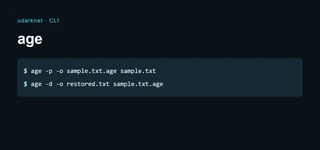
age
age review: encrypt files for a recipient, use a passphrase, keep identity keys recoverable and choose between a command-line file and an encrypted vault.
Review and setup →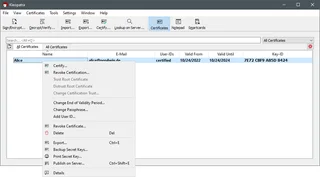
Gpg4win
Gpg4win: encrypt and sign files on Windows with Kleopatra, exchange public keys, verify fingerprints and back up the private key.
Review and setup →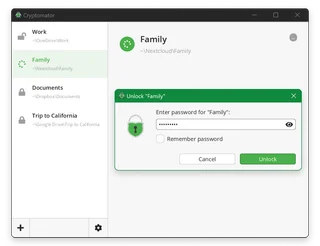
Cryptomator
Cryptomator: encrypt files before syncing to the cloud, create a vault, save a recovery key and back up your files.
Review and setup →Related reading

Passkey, TOTP or SMS: protection of the exchange account
Selection of the method of entry and preparation of access recovery.
Read article →
Fake support for the exchange: how to check the request
Checking the access to the installation of programs and the transfer of access.
Read article →About the author

Crypto, fintech and Web3 expert with a background in marketing. Covers digital-asset projects, industry risks and fraud prevention.
Professional websiteDocumentation and images
Official sources, image credits and review methods
- Download Minisign
- Documentation Minisign
- Official documentation · github.com / minisign
- Official documentation · github.com / LICENSE
The review was prepared on the project documentation. The installation and independent testing of the distribution within this material was not carried out. The rights to the interface and the names are reserved for the respective rights holders.