 EN
OpenSnitch: review, download and setup
See outbound connections from Linux applications and create rules for specific processes and destinations.
What is OpenSnitch used for?
OpenSnitch consists of a service and a graphical interface. The service monitors connection attempts, and the rules determine, resolve, resolve or reject the request. The graphical interface helps to see the application and the destination address.
Start with an observation. The coincidence on one, such as the name of the interpreter, may affect several programs. The more accurate the condition, the easier it is to understand why the rule worked.
| Item | Details |
|---|---|
| Platforms | Linux |
| Use case | Network diagnostics |
| Download source | Use the project’s official page and choose the build for your operating system. |
| Version and terms | Current builds and conditions of use are given from the developer. The review does not record the unchanged version number. |
Set a narrow rule for one application
Install the service and interface using the project packages for your system. Run the test program and see the way to the process, destination address and permission request. Choose a temporary rule and check its result.
Before constant lock, check the updates and network functions of the program. Do not overlay a broad rule on the working machine without access to restore.
Download OpenSnitch from the official website
Select the supported platform on the project page. The link leads to the selection of the distribution, and does not start the installation automatically.
Use the official download address. Check the signature or checksum if the project publishes one. Keep secret configuration files private when contacting support.
Getting started with OpenSnitch
- Choose an output for your distribution and architecture.
- Install the service and graphical interface on the documentation.
- Launch the test application and find its connection.
- Apply a narrow temporary rule and check the work.
- Keep the checked rule or cancel it.
OpenSnitch interface and illustrations
Interface screenshots
The origin of the images is indicated in the sources below. The interface of the installed version may differ.
OpenSnitchOpenSnitch: request for permission of the network connection
1 of 1. OpenSnitch: OpenSnitch: request for permission of the network connection
Limitations and data protection in OpenSnitch
The rule does not determine whether the remote server is secure. Check the purpose of the connection and the origin of the application separately.
System rules and support of components depend on the version and the environment. For firewall changes, check the documentation.
Alternatives for related tasks
Wireshark helps to watch the packages. OpenSnitch is suitable when you need to link the connection with the process and manage application access.
Questions and answers
Can a separate program be blocked?
Oh, yeah. The rules can take into account the executable file path and other connection parameters.
Do I need to reject everything?
For the first launch, it is better to observe and temporary rules so as not to disrupt updates and access.
Does OpenSnitch work in Windows?
The project is for Linux. For another OS, you need a tool with support for its network subsystem.
Other tools for similar tasks
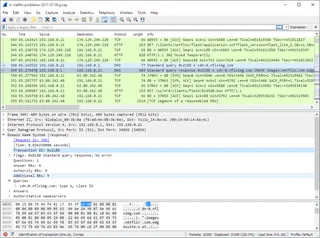
Wireshark
Wireshark: analyze your network traffic, choose an interface and filters, read captures and handle PCAP files safely.
Review and setup →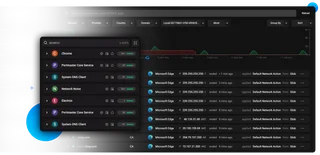
Portmaster
Portmaster for Windows and Linux: official downloads, app connections, access rules, block verification and how it differs from SPN.
Review and setup →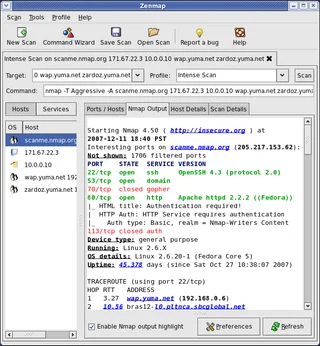
Zenmap
Zenmap: the official graphical interface for Nmap, scan profiles, result interpretation and checks within authorized network ranges.
Review and setup →Related reading

Passkey, TOTP or SMS: protection of the exchange account
Selection of the method of entry and preparation of access recovery.
Read article →
Fake support for the exchange: how to check the request
Checking the access to the installation of programs and the transfer of access.
Read article →About the author

Crypto, fintech and Web3 expert with a background in marketing. Covers digital-asset projects, industry risks and fraud prevention.
Professional websiteDocumentation and images
Official sources, image credits and review methods
- Download OpenSnitch
- Documentation OpenSnitch
- OpenSnitch: request for permission of the network connection: illustration source — Official materials of github.com; editorial illustration of the interface, rights of the copyright holder.
The review was prepared on the project documentation. The installation and independent testing of the distribution within this material was not carried out. The rights to the interface and the names are reserved for the respective rights holders.