 EN
Portmaster: review, download and setup
Portmaster for Windows and Linux: official downloads, app connections, access rules, block verification and how it differs from SPN.
What is Portmaster used for?
Portmaster shows the network activity of applications and allows you to set access rules. It is useful when you need to understand which program is accessing the network, and check the specific limitation. It is a local surveillance and filtering tool, not an independent proof of the harmfulness of every unfamiliar connection.
Official installers are designed for Windows and Linux. The site separately presents the functions of Portmaster and the paid SPN service; the installation of the application does not mean the automatic connection of this service. Composition of capabilities and compatibility with other means of protection check on current documentation.
| Item | Details |
|---|---|
| Platforms | Windows, Linux |
| Use case | Network diagnostics |
| Download source | Use the project’s official page and choose the build for your operating system. |
| Version and terms | Current builds and conditions of use are given from the developer. The review does not record the unchanged version number. |
Portmaster: from observation to application rule
First, record the usual behavior of one familiar program. Open it, perform a simple action and compare the time with the connections that have appeared. The CDN address, cloud node, or service domain without context does not prove data leakage. To output, you need to assign the application and reproducible check.
Then change one rule and repeat the same action. If authorization, update or download a file has stopped working, check which connection has been blocked and return the setup if necessary. Several simultaneous changes will make it difficult to find the cause and may disrupt the entire network.
Download Portmaster from the official website
Select the supported platform on the project page. The link leads to the selection of the distribution, and does not start the installation automatically.
Use the official download address. Check the signature or checksum if the project publishes one. Keep secret configuration files private when contacting support.
Getting started with Portmaster
- Select the official Portmaster package for Windows or Linux.
- Explore the installation requirements and compatibility with the current VPN and security software.
- Look at the activity of one known application without a massive rule change.
- Create one restriction, repeat the action and check the block result.
- Write down the work setup and how to roll back; revise the rules after the app is updated.
Portmaster interface and illustrations
Interface screenshots
The origin of the images is indicated in the sources below. The interface of the installed version may differ.
PortmasterPortmaster: monitoring the network activity of applications
1 of 2. Portmaster: Portmaster: monitoring the network activity of applications
Limitations and data protection in Portmaster
Do not turn off all other means of protection only for the first launch. Network filters and VPNs can interact; first read the compatibility instructions and analyze a specific conflict. A DNS error and a firewall error may look the same for the user.
The geographical label of the node does not establish the identity of the recipient and does not explain the assignment of the transfer. Portmaster does not correct the infected system and does not guarantee anonymity in accounts. To save access to important services, check the rules with small steps and leave an understandable way of return.
Alternatives for related tasks
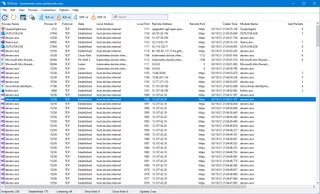
TCPView helps you see process connections in Windows, Wireshark examines packages, and Zenmap checks the allowed network nodes. Portmaster adds application rules management. Use a tool that answers a specific question without replacing observation with a guess.
Questions and answers
Is Portmaster running on macOS?
The official page offers installers for Windows and Linux. Don't consider third-party assembly to be an official Mac support.
Is Portmaster and SPN the same?
Oh, no. The features of the application and a separate paid SPN service are described separately; check your plan and settings.
An unfamiliar domain means surveillance?
Oh, no. Compare the connection with the application action and the service assignment, then check the output with a controlled test.
Other tools for similar tasks
Microsoft Sysinternals TCPView
Microsoft Sysinternals TCPView: official download and a guide to interpreting Windows processes, TCP and UDP addresses, and connection states.
Review and setup →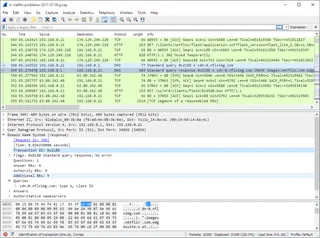
Wireshark
Wireshark: analyze your network traffic, choose an interface and filters, read captures and handle PCAP files safely.
Review and setup →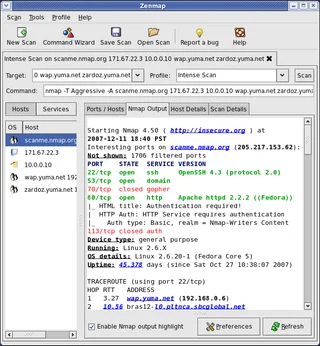
Zenmap
Zenmap: the official graphical interface for Nmap, scan profiles, result interpretation and checks within authorized network ranges.
Review and setup →Related reading

Passkey, TOTP or SMS: protection of the exchange account
Selection of the method of entry and preparation of access recovery.
Read article →
Fake support for the exchange: how to check the request
Checking the access to the installation of programs and the transfer of access.
Read article →About the author

Crypto, fintech and Web3 expert with a background in marketing. Covers digital-asset projects, industry risks and fraud prevention.
Professional websiteDocumentation and images
Official sources, image credits and review methods
- Download Portmaster
- Documentation Portmaster
- Portmaster: official website and illustrations
- Portmaster: monitoring the network activity of applications: illustration source — Official materials of safing.io; editorial illustration of the interface, the rights of the copyright holder are preserved.
- Portmaster: general rules and application parameters: illustration source — Official materials of safing.io; editorial illustration of the interface, the rights of the copyright holder are preserved.
The review was prepared on the project documentation. The installation and independent testing of the distribution within this material was not carried out. The rights to the interface and the names are reserved for the respective rights holders.