 EN
Picocrypt: review, download and setup
Find the archived Picocrypt repository and understand its file encryption and support limits.
What is Picocrypt used for?
Picocrypt is a compact file encryption tool. The official repository is partained as archived: the project is frozen, and it cannot be presented as an actively accompanied recommendation. The review is useful primarily for owners of existing Picocrypt files.
The developer specifies the XChaCha20 and Argon2id, as well as additional file processing modes. The presence of known algorithms does not replace the evaluation of the implementation and state of updates. The official source is the repository of the project, not a site with a similar name.
| Item | Details |
|---|---|
| Platforms | Windows, Linux, macOS; ready macOS-assembly for Apple Silicon |
| Use case | File encryption |
| Download source | Use the project’s official page and choose the build for your operating system. |
| Version and terms | Current builds and conditions of use are given from the developer. The review does not record the unchanged version number. |
Check access to existing files
Save a copy of the encrypted file until any operations. Download the program from the official repository and check the compatibility with the system. The documentation separately marked the limitations of the graphical version of macOS.
To check, use the test file and saved parameters. If a key file is used, one password may not be enough. After a successful decryption, you can transfer the data to the supported solution by saving the backup.
Download Picocrypt from the official website
Select the supported platform on the project page. The link leads to the selection of the distribution, and does not start the installation automatically.
Use the official download address. Check the signature or checksum if the project publishes one. Keep secret configuration files private when contacting support.
Getting started with Picocrypt
- Read the project archiving notice.
- Choose an issue from the official repository.
- Create a copy of the file for verification.
- Enter the password and the necessary key files.
- Check the recovered data before changing the storage format.
Picocrypt interface and illustrations
Interface screenshots
The origin of the images is indicated in the sources below. The interface of the installed version may differ.
PicocryptPicocrypt: file and password selection window for encryption
1 of 1. Picocrypt: Picocrypt: file and password selection window for encryption
Limitations and data protection in Picocrypt
The archived project may not receive corrections and support for new OSes. For the new long-term repository, this is a significant limitation.
The ready macOS-assembly is designed for Apple Silicon; the author warns of future compatibility of the graphics application.
Alternatives for related tasks
For the new storage process, it is worth comparing the supported VeraCrypt or Cryptomator. Picocrypt here is described with the explicit status of the archive, without the promise of further support.
Questions and answers
Is Picocrypt actively developing?
Oh, no. The official repository reports on the constant archiving and freezing of the project.
Is there an official website or mobile app?
The repository warns that there is no official separate site and mobile applications. Use the specified source.
Why do you need a key file?
If he participated in encryption, the same data is needed to decrypt. Loss of a key file can make access impossible.
Other tools for similar tasks
VeraCrypt
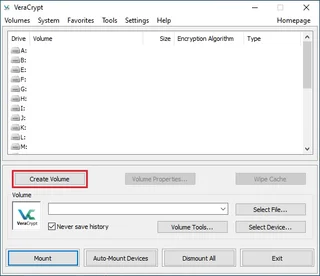
VeraCrypt: create a file container, mount and dismount it, plan backups and understand what volume encryption protects.
Review and setup →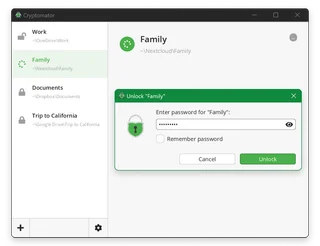
Cryptomator
Cryptomator: encrypt files before syncing to the cloud, create a vault, save a recovery key and back up your files.
Review and setup →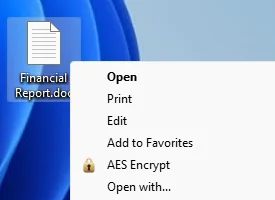
AES Crypt
Encrypt individual files with AES Crypt and verify that you can decrypt them before sharing.
Review and setup →Related reading

Passkey, TOTP or SMS: protection of the exchange account
Selection of the method of entry and preparation of access recovery.
Read article →
Fake support for the exchange: how to check the request
Checking the access to the installation of programs and the transfer of access.
Read article →About the author

Crypto, fintech and Web3 expert with a background in marketing. Covers digital-asset projects, industry risks and fraud prevention.
Professional websiteDocumentation and images
Official sources, image credits and review methods
- Download Picocrypt
- Documentation Picocrypt
- Picocrypt: file and password selection window for encryption: illustration source — Official materials of github.com; editorial illustration of the interface, rights of the copyright holder.
The review was prepared on the project documentation. The installation and independent testing of the distribution within this material was not carried out. The rights to the interface and the names are reserved for the respective rights holders.