 EN
Proton Pass: review, download and setup
Set up Proton Pass apps and extensions, import passwords and check account recovery.
What is Proton Pass used for?
The Proton Pass stores passwords and other records in encrypted storages with synchronization between applications. The desktop client and browser extension perform different roles: record management and filling out forms need to be checked separately.
The service offers free and paid opportunities. Limits, network-free work and additional unlock methods depend on the plan and platform. Check the function before transferring all records.
| Item | Details |
|---|---|
| Platforms | Windows, macOS, Linux, Android, iOS |
| Use case | Password managers |
| Download source | Use the project’s official page and choose the build for your operating system. |
| Version and terms | Current builds and conditions of use are given from the developer. The review does not record the unchanged version number. |
Switching from another password manager
First, configure the ways in which the account and data recovered Proton. Store recovery materials outside the only device. A simple change of the account password is not equivalent to the guaranteed recovery of encrypted data.
Import a small group of records and check the addresses of sites, notes and fill out. Export an old manager may contain open passwords: do not leave it in a cloud folder or a shared download.
Download Proton Pass from the official website
Select the supported platform on the project page. The link leads to the selection of the distribution, and does not start the installation automatically.
Use the official download address. Check the signature or checksum if the project publishes one. Keep secret configuration files private when contacting support.
Getting started with Proton Pass
- Install the app or extension by Proton.
- Configure the entrance and available recovery methods.
- Import the test group of records.
- Check the filling on the right domain.
- After the check, transfer the other records and remove the open export.
Proton Pass interface and illustrations
Interface screenshots
The origin of the images is indicated in the sources below. The interface of the installed version may differ.
Proton PassProton Pass: storage and in-app Windows
1 of 1. Proton Pass: Proton Pass: storage and in-app Windows
Limitations and data protection in Proton Pass
An unlocked manager does not protect against malware on the device. Block the app and update your browser.
Joint access to the storage is different from a single password transfer. Check the recipients and the rights before the invitation.
Alternatives for related tasks
Bitwarden and 1Password also offer synchronized storages. KeePassXC is convenient if you wish to independently manage the database file and synchronization.
Questions and answers
Do I need an extension if the application is available?
For easy filling of forms in the browser, the appropriate extension is used. Check the bundle on your platform.
Are all the functions for free?
Oh, no. Proton Pass has different plans; current restrictions are listed on the site.
Is it possible to remove the old base immediately after importing?
First check the records, attachments and recovery. Leave a secure backup for the transition period.
Other tools for similar tasks
Bitwarden
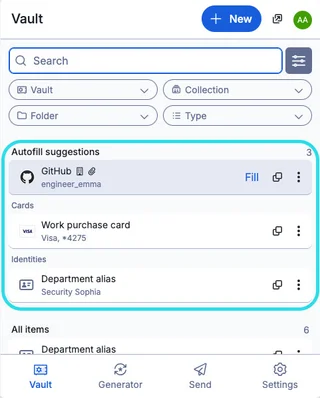
Bitwarden: official downloads, extension setup, autofill, account protection and access recovery.
Review and setup →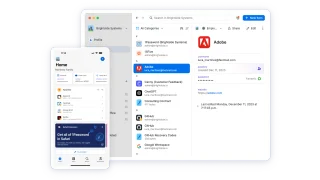
1Password
Set up 1Password apps, vaults and the browser extension, then check recovery and import.
Review and setup →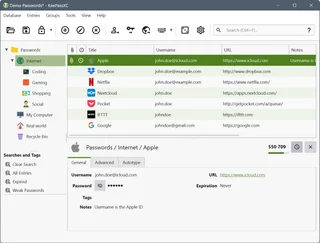
KeePassXC
KeePassXC: create a local KDBX password database, generate passwords, make backups and connect the browser extension.
Review and setup →Related reading

Passkey, TOTP or SMS: protection of the exchange account
Selection of the method of entry and preparation of access recovery.
Read article →
Fake support for the exchange: how to check the request
Checking the access to the installation of programs and the transfer of access.
Read article →About the author

Crypto, fintech and Web3 expert with a background in marketing. Covers digital-asset projects, industry risks and fraud prevention.
Professional websiteDocumentation and images
Official sources, image credits and review methods
- Download Proton Pass
- Documentation Proton Pass
- Proton Pass: storage and in-app Windows: illustration source — Official materials of proton.me; editorial illustration of the interface, rights of copyright holder.
The review was prepared on the project documentation. The installation and independent testing of the distribution within this material was not carried out. The rights to the interface and the names are reserved for the respective rights holders.