 EN
1Password: review, download and setup
Set up 1Password apps, vaults and the browser extension, then check recovery and import.
What is 1Password used for?
1Password is a password manager with applications for computers and phones and browser extensions. Records are organized in storage; individual, family and working scenarios are distinguished by the management of participants and access.
For a regular account, the password and Secret Key are important. Emergency Kit materials help to save login information. The recovery method depends on the type of account and the settings of the organization: it is worth finding out before migration.
| Item | Details |
|---|---|
| Platforms | Windows, macOS, Linux, Android, iOS |
| Use case | Password managers |
| Download source | Use the project’s official page and choose the build for your operating system. |
| Version and terms | Current builds and conditions of use are given from the developer. The review does not record the unchanged version number. |
Start with a separate test vault
Install the app from the official page and connect your browser extension. Create a few test records, check the filling and lock. Make sure that the site address matches the record before issuing the details of the page.
When transferring from another manager, check the fields and attachments. CSV-export is often not encrypted. After successful imports, delete a working copy of the export and keep a secure backup of the base.
Download 1Password from the official website
Select the supported platform on the project page. The link leads to the selection of the distribution, and does not start the installation automatically.
Use the official download address. Check the signature or checksum if the project publishes one. Keep secret configuration files private when contacting support.
Getting started with 1Password
- Choose the appropriate account type.
- Save the Emergency Kit in a secure location.
- Install the app and extension from the official page.
- Import test records and check the fields.
- Set the lock and check the entrance on the second device.
1Password interface and illustrations
Interface screenshots
The origin of the images is indicated in the sources below. The interface of the installed version may differ.
1Password1Password: storage interface on multiple devices
1 of 1. 1Password: 1Password: storage interface on multiple devices
Limitations and data protection in 1Password
1Password is a commercial service. The trial period does not mean an indefinite free subscription; the conditions depend on the plan.
Access to the general record and access to the entire storage have different scales. Invite participants to the right vault and review the rights.
Alternatives for related tasks
KeePassXC allows you to store a separate database file. 1Password is more convenient when you need managed synchronization and joint storage; Bitwarden offers a different set of plans and ways of placement.
Questions and answers
What is a Secret Key?
An additional account secret used with the password in the standard 1Password scenario. Keep it as confidential data.
Is it enough to establish an extension?
The extension helps to fill out forms. The desktop app adds management and integration; the exact capabilities depend on the platform.
Is it possible to transfer Emergency Kit in support?
Oh, no. It contains information to access the account. You don't need to give your secrets to support.
Other tools for similar tasks
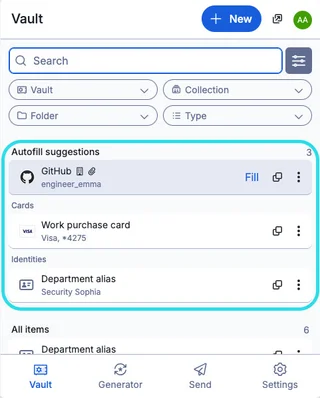
Bitwarden
Bitwarden: official downloads, extension setup, autofill, account protection and access recovery.
Review and setup →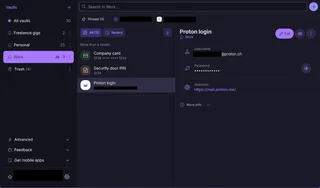
Proton Pass
Set up Proton Pass apps and extensions, import passwords and check account recovery.
Review and setup →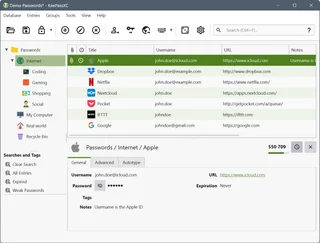
KeePassXC
KeePassXC: create a local KDBX password database, generate passwords, make backups and connect the browser extension.
Review and setup →Related reading

Passkey, TOTP or SMS: protection of the exchange account
Selection of the method of entry and preparation of access recovery.
Read article →
Fake support for the exchange: how to check the request
Checking the access to the installation of programs and the transfer of access.
Read article →About the author

Crypto, fintech and Web3 expert with a background in marketing. Covers digital-asset projects, industry risks and fraud prevention.
Professional websiteDocumentation and images
Official sources, image credits and review methods
- Download 1Password
- Documentation 1Password
- 1Password: storage interface on multiple devices: illustration source — Official materials of 1password.com; editorial illustration of the interface, rights of the copyright holder.
The review was prepared on the project documentation. The installation and independent testing of the distribution within this material was not carried out. The rights to the interface and the names are reserved for the respective rights holders.