 EN
Remmina: review, download and setup
Set up RDP, VNC and SSH profiles in this Linux remote desktop client and test your first connection.
What is Remmina used for?
Remmina combines connections to remote desktops and terminals in one interface. It is used primarily in Linux, and the available protocols depend on the installed build and modules.
The program is a client: the corresponding server must work on a remote machine. The saved profile simplifies the re-entry, but does not create network access via a firewall or router.
| Item | Details |
|---|---|
| Platforms | Linux; source build is also described for FreeBSD |
| Use case | Networking and tunnels |
| Download source | Use the project’s official page and choose the build for your operating system. |
| Version and terms | Current builds and conditions of use are given from the developer. The review does not record the unchanged version number. |
Set up a connection profile with limited permissions
For RDP or VNC, specify the address, port, account and protected channel requirements in advance. For SSH check the host key. Do not turn off authentication only for the sake of a successful first connection.
Redirecting the clipboard and local folders is convenient, but it reveals the data to the remote system. Turn on the necessary functions. Use the supported system secret repository to save passwords.
Download Remmina from the official website
Select the supported platform on the project page. The link leads to the selection of the distribution, and does not start the installation automatically.
Use the official download address. Check the signature or checksum if the project publishes one. Keep secret configuration files private when contacting support.
Getting started with Remmina
- Install Remmina in the way recommended for the distribution.
- Check the module for the required protocol.
- Create a profile with the address and username.
- Check the certificate or key of the remote node.
- Test your desktop and turn off unnecessary redirects.
Remmina interface and illustrations
Interface screenshots
The origin of the images is indicated in the sources below. The interface of the installed version may differ.
RemminaRemmina: list of saved connections
1 of 1. Remmina: Remmina: list of saved connections
Limitations and data protection in Remmina
Working through the Internet usually requires secure access to the network. Do not open the entire Internet to set up the entire Internet.
The behavior of Flatpak, Snap and system packets packages may differ, including access to the SSH agent and local files.
Alternatives for related tasks
PuTTY is focused on terminal connections. Remmina is more convenient for a Linux desktop with several types of deleted sessions; the VPN is configured separately if necessary.
Questions and answers
Remmina installs a server on a remote car?
Oh, no. The RDP, VNC or SSH server must be prepared separately.
Why not the right protocol?
Check the package composition and installed modules. The possibilities depend on the assembly and distribution.
Can the whole team use one connection profile?
The address settings can be agreed, but passwords and private keys must remain with the relevant users.
Other tools for similar tasks
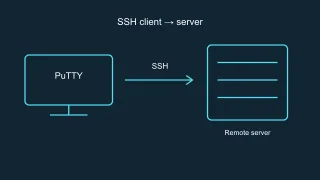
PuTTY
PuTTY: official SSH client downloads, host key checks, saved sessions and how to choose between PuTTY and OpenSSH.
Review and setup →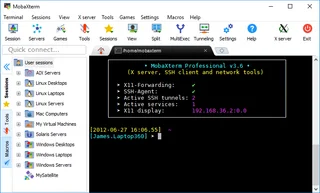
MobaXterm
Set up SSH, SFTP and X11 in Windows and compare MobaXterm Home and Professional.
Review and setup →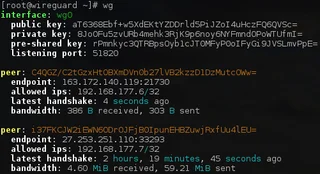
WireGuard
WireGuard: what a VPN tunnel does, where to download the client, and how to check keys, routes and DNS after connecting.
Review and setup →Related reading

Passkey, TOTP or SMS: protection of the exchange account
Selection of the method of entry and preparation of access recovery.
Read article →
Fake support for the exchange: how to check the request
Checking the access to the installation of programs and the transfer of access.
Read article →About the author

Crypto, fintech and Web3 expert with a background in marketing. Covers digital-asset projects, industry risks and fraud prevention.
Professional websiteDocumentation and images
Official sources, image credits and review methods
- Download Remmina
- Documentation Remmina
- Remmina: list of saved connections: illustration source — Official materials of remmina.org; editorial illustration of the interface, rights of the copyright holder.
The review was prepared on the project documentation. The installation and independent testing of the distribution within this material was not carried out. The rights to the interface and the names are reserved for the respective rights holders.