 EN
SiriKali: review, download and setup
SiriKali: official builds, a graphical interface for folder encryption, backend selection, mount points and backups.
What is SiriKali used for?
SiriKali provides graphical control of encrypted folders via supported external engines. It's an interface for working with multiple solutions, not one own universal encryption format. The compatibility and storage properties determine the selected backend.
The project website lists supported systems, engines and installation methods. The availability of CryFS, gocryptfs, securefs or other backend needs to be checked for your platform and assembly. If the program is installed, it does not yet prove that the desired engine is present and is ready to open the existing storage.
| Item | Details |
|---|---|
| Platforms | Windows, macOS, Linux; the set of available engines depends on the platform |
| Use case | File encryption |
| Download source | Use the project’s official page and choose the build for your operating system. |
| Version and terms | Current builds and conditions of use are given from the developer. The review does not record the unchanged version number. |
SiriKali: Encrypted Folder and Mounting Point
Divide two paths: a directory with encrypted data and a place where regular files are visible after opening. To synchronize the encrypted copy, you need the first way. If you accidentally send the open contents of the mount point to the cloud, the graphical interface will not fix this selection error.
Start with a new test repository. Write down the engine and parameters, put a small file, close the storage and open again. Then check the backup with the necessary keys and configuration. Different formats cannot be considered interchangeable just because they are available from one SiriKali window.
Download SiriKali from the official website
Select the supported platform on the project page. The link leads to the selection of the distribution, and does not start the installation automatically.
Use the official download address. Check the signature or checksum if the project publishes one. Keep secret configuration files private when contacting support.
Getting started with SiriKali
- Check the official SiriKali installation instructions for your OS.
- Select the supported engine and install its necessary components.
- Create a test encrypted folder and a separate empty mount point.
- Add the file, unmount the storage and check the reopening.
- Make a verified copy of encrypted data, configuration and necessary access materials.
SiriKali interface and illustrations
Interface screenshots
The origin of the images is indicated in the sources below. The interface of the installed version may differ.
SiriKaliSiriKali: Opening of Encrypted Storage
1 of 2. SiriKali: SiriKali: Opening of Encrypted Storage
Limitations and data protection in SiriKali
Encryption guarantees, password requirements and recovery methods depend on the engine. Do not transfer one backend recommendation to another without documentation. Pay special attention to what service files should be saved along with the data.
The open mount point is available to applications with appropriate device rights. Close the storage after work and check that the files have stopped reading through the open path. Storage encryption does not protect documents from an already launched malicious application.
Alternatives for related tasks
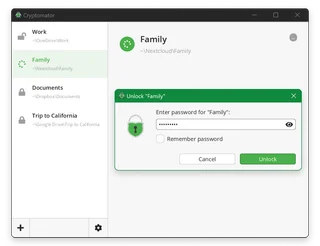
SiriKali is useful when you need an interface to a particular supported engine. Cryptomator offers its own script of the file storage, VeraCrypt - work with volumes, and 7-Zip - separate archives. First, choose a storage model, then the interface.
Questions and answers
Does SiriKali use one algorithm for all folders?
Oh, no. The format and cryptographic properties define the selected engine.
Why doesn't the existing folder open?
Check backend, its version, mandatory components and the safety of service storage files.
Which folder should I send to the cloud?
If the target is to store an encrypted copy, the encrypted data synchronize, not the open mount path. Check the rules of your engine.
Other tools for similar tasks
Cryptomator
Cryptomator: encrypt files before syncing to the cloud, create a vault, save a recovery key and back up your files.
Review and setup →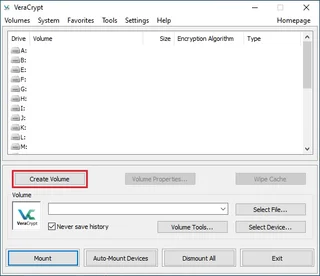
VeraCrypt
VeraCrypt: create a file container, mount and dismount it, plan backups and understand what volume encryption protects.
Review and setup →
7-Zip
7-Zip: official downloads, Windows and command-line editions, 7z archives with AES-256, file name encryption and extraction checks.
Review and setup →Related reading

Passkey, TOTP or SMS: protection of the exchange account
Selection of the method of entry and preparation of access recovery.
Read article →
Fake support for the exchange: how to check the request
Checking the access to the installation of programs and the transfer of access.
Read article →About the author

Crypto, fintech and Web3 expert with a background in marketing. Covers digital-asset projects, industry risks and fraud prevention.
Professional websiteDocumentation and images
Official sources, image credits and review methods
- Download SiriKali
- Documentation SiriKali
- SiriKali: Opening of Encrypted Storage: illustration source — Official materials mhogomchungu.github.io; editorial illustration of the interface, rights of the rightholder.
- SiriKali: open storage actions: illustration source — Official materials mhogomchungu.github.io; editorial illustration of the interface, rights of the rightholder.
The review was prepared on the project documentation. The installation and independent testing of the distribution within this material was not carried out. The rights to the interface and the names are reserved for the respective rights holders.