 EN
SoftEther VPN: review, download and setup
Set up a SoftEther VPN client or server, choose the right component and test your connection.
What is SoftEther VPN used for?
SoftEther VPN - set of components for building a VPN: server, client and controls. When downloading, it is important to choose the role of the program and the operating system. Having a server build for a platform does not mean that the same graphical client is available.
The client connects to the configured server and the virtual hub. The address, authentication method and network parameters are issued by the administrator. The program does not automatically include a trusted public exit point.
| Item | Details |
|---|---|
| Platforms | Windows, Linux; server components also for macOS, FreeBSD and Solaris |
| Use case | Networking and tunnels |
| Download source | Use the project’s official page and choose the build for your operating system. |
| Version and terms | Current builds and conditions of use are given from the developer. The review does not record the unchanged version number. |
Choose the client or server
For the workplace in Windows, a VPN Client Manager and a virtual network adapter are used. The connection profile contains the server address and login parameters. Check the server certificate and do not save other people's details in the overall profile.
The server setup solves another problem: it connects and connects them to the desired network. The bridge, routing and the issuance of addresses require separate settings. Before connecting to the work network, coordinate them with the administrator.
Download SoftEther VPN from the official website
Select the supported platform on the project page. The link leads to the selection of the distribution, and does not start the installation automatically.
Use the official download address. Check the signature or checksum if the project publishes one. Keep secret configuration files private when contacting support.
Getting started with SoftEther VPN
- Choose a VPN Client or VPN Server for your task.
- Download the assembly of the desired platform from the official page.
- For the client, create a virtual adapter and profile.
- Verse the server address, certificate and login parameters.
- Check access to the desired network and disconnect the connection.
SoftEther VPN interface and illustrations
Interface screenshots
The origin of the images is indicated in the sources below. The interface of the installed version may differ.
SoftEther VPNSoftEther VPN: Control of Virtual Network Adapters
1 of 1. SoftEther VPN: SoftEther VPN: Control of Virtual Network Adapters
Limitations and data protection in SoftEther VPN
Support protocols and available components depend on the platform. Windows customer manuals cannot be mechanically applied to the Linux server.
VPN Gate is a separate project that offers public relay servers. Installing SoftEther gives you no reason to trust a particular relay.
Alternatives for related tasks
For a new simple tunnel, WireGuard may be enough. SoftEther is useful when you need its server capabilities and compatibility with a specific existing infrastructure.
Questions and answers
Are SoftEther and VPN Gate the same?
No. SoftEther is VPN software. VPN Gate is a separate public relay project.
Why a virtual adapter?
In the Windows client, it represents a network connection to a VPN. The addresses and routes depend on the server configuration.
Is there a customer for all OS?
Oh, no. On the download page, you need to select a component and platform; a set of graphic and server tools differ.
Other tools for similar tasks
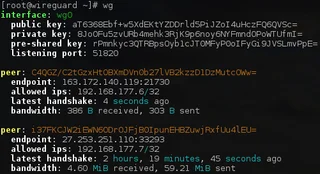
WireGuard
WireGuard: what a VPN tunnel does, where to download the client, and how to check keys, routes and DNS after connecting.
Review and setup →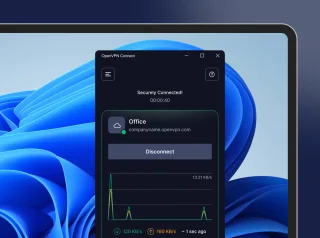
OpenVPN Connect
OpenVPN Connect: official VPN client downloads, .ovpn profile import, work network access checks and comparisons with WireGuard and Tailscale.
Review and setup →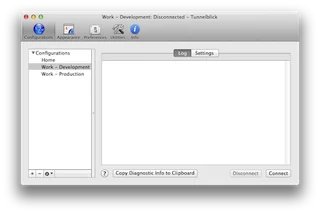
Tunnelblick
Tunnelblick: download the OpenVPN client for macOS, import a profile, check DNS and routes, and read the connection log.
Review and setup →Related reading

Passkey, TOTP or SMS: protection of the exchange account
Selection of the method of entry and preparation of access recovery.
Read article →
Fake support for the exchange: how to check the request
Checking the access to the installation of programs and the transfer of access.
Read article →About the author

Crypto, fintech and Web3 expert with a background in marketing. Covers digital-asset projects, industry risks and fraud prevention.
Professional websiteDocumentation and images
Official sources, image credits and review methods
- Download SoftEther VPN
- Documentation SoftEther VPN
- SoftEther VPN: Control of Virtual Network Adapters: illustration source — Official materials of www.softether.org; editorial illustration of the interface, rights of the copyright holder.
The review was prepared on the project documentation. The installation and independent testing of the distribution within this material was not carried out. The rights to the interface and the names are reserved for the respective rights holders.