 EN
Tor Browser: review, download and setup
Tor Browser: official downloads, first connection, bridges, updates and the limits of protection for browser traffic.
What is Tor Browser used for?
Tor Browser directs browser connections via the Tor network and includes privacy settings. It is useful when it is important to reduce the connection between the source network address and the sites visited. This is not a promise of complete anonymity in any action.
Log in to your personal account informs the site who you are, even when using Tor. The contents of messages, files, and habits can also identify a person. The choice of the tool should be associated with the task, and not just the verification of the external IP.
| Item | Details |
|---|---|
| Platforms | Windows, macOS, Linux, Android |
| Use case | Networking and tunnels |
| Download source | Use the project’s official page and choose the build for your operating system. |
| Version and terms | Current builds and conditions of use are given from the developer. The review does not record the unchanged version number. |
Connecting Tor Browser and using bridges
Take the installer and instructions from the Tor Project. Support shares the usual connection and operation on the network with restrictions. Bridges can help when blocking direct access, but the address from a random comment does not become trusted only because of the word bridge.
Standard settings are designed for joint work. Additional extensions and non-standard modifications can change the characteristics of the browser and disclose information. Update your browser regularly; recommendations for the old version first check with the current documentation.
Download Tor Browser from the official website
Select the supported platform on the project page. The link leads to the selection of the distribution, and does not start the installation automatically.
Use the official download address. Check the signature or checksum if the project publishes one. Keep secret configuration files private when contacting support.
Getting started with Tor Browser
- Choose a platform on the Tor Project website. If necessary, check the signature of the distribution according to the instructions.
- Start your browser and connect; if you have an error, read its text and diagnostics section.
- When confirmed lock, use the mechanism of bridges provided by the project.
- Check the desired site; for a separate problem, you can check the new chain without changing everything at once.
- Install updates and revise which accounts and files you open in this environment.
Tor Browser interface and illustrations
Interface screenshots
The origin of the images is indicated in the sources below. The interface of the installed version may differ.
Tor BrowserConnecting Tor Browser to Tor network
1 of 1. Tor Browser: Connecting Tor Browser to Tor network
Limitations and data protection in Tor Browser
Tor Browser does not automatically direct all computer traffic via Tor. Another browser or messenger can work directly. The file, opened in the external program, is able to create a connection outside the browser environment.
HTTPS still matters on ordinary websites. A service may block Tor exit nodes, display a CAPTCHA or verify a login. This alone does not establish that your browser is compromised. Keep its protections enabled on suspicious pages.
Alternatives for related tasks
WireGuard connects configured nodes and requires trust in the selected server. Tor Browser is designed for browser work through Tor. To transfer files through the onion-service there is OnionShare; to access your own server is often enough SSH.
Questions and answers
Will all apps work through Tor?
Oh, no. Tor Browser maintains its connections. The rest of the applications should be considered separately.
Can I install extensions?
Do not add them without understanding the consequences: they can change the protective properties of the browser. Focus on the Tor Project.
Tor hides the name when logging in to your account?
Oh, no. The login itself informs the service of the account identifier regardless of the route.
Other tools for similar tasks
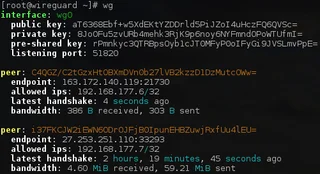
WireGuard
WireGuard: what a VPN tunnel does, where to download the client, and how to check keys, routes and DNS after connecting.
Review and setup →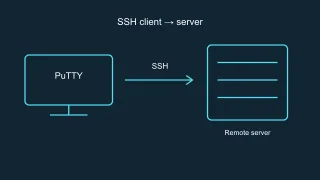
PuTTY
PuTTY: official SSH client downloads, host key checks, saved sessions and how to choose between PuTTY and OpenSSH.
Review and setup →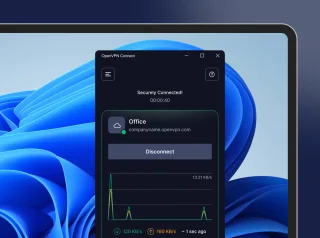
OpenVPN Connect
OpenVPN Connect: official VPN client downloads, .ovpn profile import, work network access checks and comparisons with WireGuard and Tailscale.
Review and setup →Related reading

Passkey, TOTP or SMS: protection of the exchange account
Selection of the method of entry and preparation of access recovery.
Read article →
Fake support for the exchange: how to check the request
Checking the access to the installation of programs and the transfer of access.
Read article →About the author

Crypto, fintech and Web3 expert with a background in marketing. Covers digital-asset projects, industry risks and fraud prevention.
Professional websiteDocumentation and images
Official sources, image credits and review methods
- Download Tor Browser
- Documentation Tor Browser
- Connecting Tor Browser to Tor network: illustration source — Screenshot of the official documentation or site of the project; editorial illustration of the interface, rights of the rightholder.
The review was prepared on the project documentation. The installation and independent testing of the distribution within this material was not carried out. The rights to the interface and the names are reserved for the respective rights holders.