 EN
NetSpot: Wi-Fi inspection, surveys and network planning
NetSpot review: nearby networks, measured coverage maps, predictive planning and Free, Pro or Enterprise editions. Platforms, limits and official downloads.
What is NetSpot used for?
NetSpot helps examine a wireless network and the space it covers. Inspector lists nearby access points and radio information. Survey records measurements on a floor plan. Planning models proposed access-point placement before equipment is installed. Choose the mode for your question: a channel list, a measured weak spot and a predicted coverage map are different results.
| Item | Details |
|---|---|
| Platforms | Windows, macOS; Android, iOS |
| Task | Network diagnostics |
| Download source | Use the project’s official page and choose the build for your operating system. |
| Version and terms | Check the version and licence on the developer’s website. |
NetSpot interface and illustrations
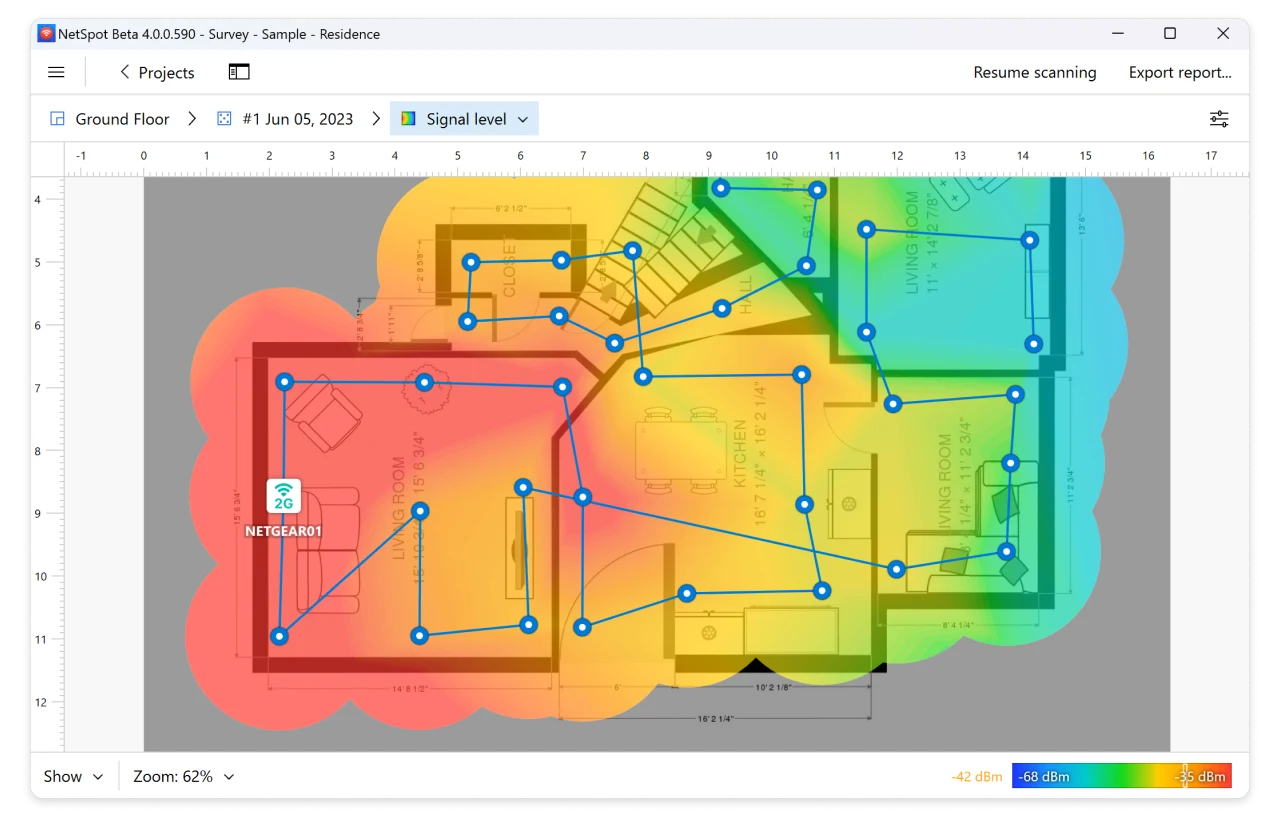
The press screenshots show the Windows Inspector table and a survey map. They illustrate the developer's example project, not measurements of your home or an udarknet network test.
Interface screenshots
Image sources are listed below. Other versions may have a different interface.
NetSpotNetSpot: Windows Inspector, official press screenshot
1 of 1. NetSpot: NetSpot: Windows Inspector, official press screenshot
Download NetSpot from the official website
Download the package for macOS or Windows from NetSpot's official site. Android and iOS editions have separate feature sets and purchases. Check the comparison for the exact device and mode before buying.
Check the website address. Follow the developer’s instructions for verifying the file’s signature or checksum.
Getting started with NetSpot
- Install the official app and grant the operating-system permissions needed for Wi-Fi information.
- Open Inspector and identify your own network by SSID and access-point details.
- For a survey, import a floor plan and calibrate its scale before collecting data.
- Walk through the area, marking your actual positions and taking measurements consistently.
- Review the resulting map, change one relevant setting or placement, then repeat measurements for comparison.
Who it suits
For a home office, begin with the problem location and the access points visible there. A survey is useful when you need to compare coverage across rooms. Planning suits proposed layouts; later measurements show how the real installation behaves.
Reading measurements and predictions
Signal strength describes reception at a measurement point. It is not the same as the speed of your internet connection. Walls, placement, adapter capabilities and the environment influence what the app can observe. A planning model relies on the floor plan and material assumptions; keep its predicted result distinct from an on-site survey.
- Use the same device and comparable positions when comparing before and after results.
- Check adapter and OS support before expecting every frequency band to appear.
- Keep floor plans and access-point identifiers within the team that needs them.
Desktop editions and licensing
| Edition | What it covers | Capacity or terms |
|---|---|---|
| Free | Inspector; survey/planning demonstrations | Non-commercial use; initial inspection |
| Pro | Survey and Planning | 1 user + 1 technician; 50 zones per project, 50 snapshots per zone; 500 points per snapshot |
| Enterprise | Survey and Planning for teams | 10 users + 10 technicians; unlimited zones, snapshots and points |
The current purchase page offers annual subscriptions or lifetime licences. Select the term and confirm the displayed total and taxes at checkout. A technician licence is for viewing, editing and exporting existing project data; it differs from a full measurement seat.
Limitations and data protection in NetSpot
Mobile editions do not reproduce every desktop function. The comparison lists no Inspector mode for iOS.
The map describes the measured or modelled conditions. Repeat a survey after significant layout or access-point changes.
Alternatives for related tasks
Wireshark examines packets, while PingPlotter helps follow connection latency and loss. NetSpot answers a different question: where wireless coverage and channel conditions affect the physical space.
Questions and answers
Can the free version produce a full survey?
The current comparison reserves Survey for paid editions and shows demonstrations in Free.
Is a heatmap a speed test?
Not necessarily. The selected visualisation may show signal or another radio metric; read its legend.
Can I use the same features on iOS?
No. Consult the mobile comparison; capabilities differ from desktop and Android.
Other tools for similar tasks
Wireshark
Wireshark: analyze your network traffic, choose an interface and filters, read captures and handle PCAP files safely.
Review and setup →
PingPlotter
Measure latency and packet loss over time to investigate intermittent connection problems.
Review and setup →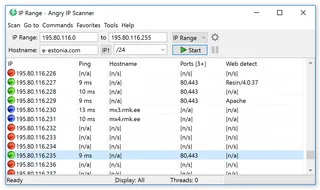
Angry IP Scanner
Angry IP Scanner: inventory an authorized local network, select address ranges, interpret results and understand reachability checks.
Review and setup →Related reading

Passkey, TOTP or SMS: protection of the exchange account
Selection of the method of entry and preparation of access recovery.
Read article →
Fake support for the exchange: how to check the request
Checking the access to the installation of programs and the transfer of access.
Read article →About the author

Crypto, fintech and Web3 expert with a background in marketing. Covers digital-asset projects, industry risks and fraud prevention.
Professional websiteDocumentation and images
Official sources, image credits and review methods
- Download NetSpot
- Documentation NetSpot
- Official source · www.netspotapp.com / help
- Official source · www.netspotapp.com / netspotpro.html
- Official source · www.netspotapp.com / what-is-the-difference-between-netspot-free-scanner-reporter-and-pro
- Official source · www.netspotapp.com / press.html
The review was prepared on the project documentation. The installation and independent testing of the distribution within this material was not carried out. The rights to the interface and the names are reserved for the respective rights holders.