 EN
Passbolt: review, download and setup
Set up team password management in Passbolt, including the browser extension, sharing permissions and recovery.
What is Passbolt used for?
Passbolt is designed to jointly manage the team's passwords and secrets. Participants have access to the right resources through rights and groups. There is an independent placement and cloudy option; the editors differ in the possibilities.
The work environment includes the server and client components. Before installing the extension, make sure that you open the address of your organization. An exorbitant login page does not confirm the authenticity of the server.
| Item | Details |
|---|---|
| Platforms | Windows, macOS, Linux, Android, iOS, Web client; on computer browser, also desktop application Windows |
| Use case | Password managers |
| Download source | Use the project’s official page and choose the build for your operating system. |
| Version and terms | Current builds and conditions of use are given from the developer. The review does not record the unchanged version number. |
Check team access before a bulk import
Create a small group and test resource without real details. Check who sees the recording, who can change it and who controls the access. The rights should be checked under the ordinary user, not just by the administrator.
Prepare the recovery in accordance with the editorial and policy of the organization. User keys and recovery materials must be protected. An independent server requires updates, backups and recovery checks.
Download Passbolt from the official website
Select the supported platform on the project page. The link leads to the selection of the distribution, and does not start the installation automatically.
Use the official download address. Check the signature or checksum if the project publishes one. Keep secret configuration files private when contacting support.
Getting started with Passbolt
- Choose a cloud or self-locating.
- Open the trusted address of the organization's server.
- Install the official client component.
- Create a test group and check the rights to the resource.
- Check recovery and only then import work details.
Passbolt interface and illustrations
Interface screenshots
The origin of the images is indicated in the sources below. The interface of the installed version may differ.
PassboltPassbolt team password manager interface
1 of 1. Passbolt: Passbolt team password manager interface
Limitations and data protection in Passbolt
Administrative access to the server should not be considered a universal way to read or restore all user secrets. The recovery capabilities depend on the configuration.
When dismissing a participant, it is not enough to remove him from the group: previously disclosed passwords to external systems may require a change.
Alternatives for related tasks
For a personal password file, it's easier for KeePassXC. Passbolt makes sense for a command with managed access; it is worth comparing it to Bitwarden and 1Password work plans.
Questions and answers
Is Passbolt for only one person?
The main scenario is the team's collaboration with rights and groups. There are simpler options for a personal base.
Do you need your own server?
Not necessarily: there is a cloudy option. When placing the server is independently maintained by your organization.
Does the access change the external site password?
Oh, no. If a person already knew the password, it must be replaced separately in the appropriate service.
Other tools for similar tasks
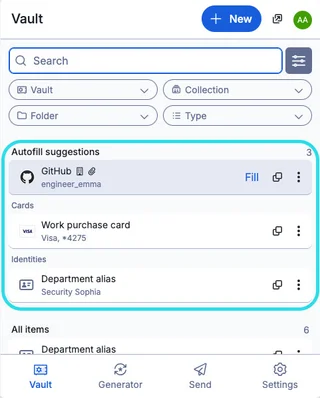
Bitwarden
Bitwarden: official downloads, extension setup, autofill, account protection and access recovery.
Review and setup →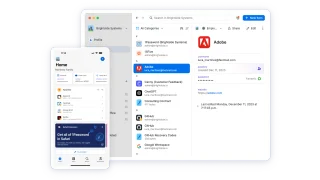
1Password
Set up 1Password apps, vaults and the browser extension, then check recovery and import.
Review and setup →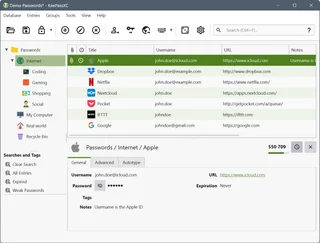
KeePassXC
KeePassXC: create a local KDBX password database, generate passwords, make backups and connect the browser extension.
Review and setup →Related reading

Passkey, TOTP or SMS: protection of the exchange account
Selection of the method of entry and preparation of access recovery.
Read article →
Fake support for the exchange: how to check the request
Checking the access to the installation of programs and the transfer of access.
Read article →About the author

Crypto, fintech and Web3 expert with a background in marketing. Covers digital-asset projects, industry risks and fraud prevention.
Professional websiteDocumentation and images
Official sources, image credits and review methods
- Download Passbolt
- Documentation Passbolt
- Passbolt team password manager interface: illustration source — Official materials www.passbolt.com; editorial illustration of the interface, rights of the rightholder.
The review was prepared on the project documentation. The installation and independent testing of the distribution within this material was not carried out. The rights to the interface and the names are reserved for the respective rights holders.