 EN
Strongbox: review, download and setup
Open KeePass or Password Safe databases on Mac and iPhone, choose where to store them and test sync.
What is Strongbox used for?
Strongbox works with KeePass and Password Safe password databases on Apple devices. This is an application to open and change the base, not a mandatory single cloud service. The file can be stored in a supported way.
Compatibility does not mean the same capabilities of all customers. Before the transition, check the attachments, additional fields and protection parameters. A separate test base is useful for collaboration on different devices.
| Item | Details |
|---|---|
| Platforms | macOS, iOS |
| Use case | Password managers |
| Download source | Use the project’s official page and choose the build for your operating system. |
| Version and terms | Current builds and conditions of use are given from the developer. The review does not record the unchanged version number. |
Use the same database on multiple devices
Choose a storage location and set it up on each device. After changing the test record, wait for synchronization, then open the base on another device. Simultaneous editing and offline copies require attention to conflicts.
Biometric unlock simplifies the daily login, but does not replace knowledge of the main password and the safety of the key file if it is used. Check the recovery from the backup separately from the usual opening.
Download Strongbox from the official website
Select the supported platform on the project page. The link leads to the selection of the distribution, and does not start the installation automatically.
Use the official download address. Check the signature or checksum if the project publishes one. Keep secret configuration files private when contacting support.
Getting started with Strongbox
- Install Strongbox by the official website link.
- Create a test base or a copy of the existing one.
- Select local or supported remote storage.
- Check synchronization and filling on the second device.
- Save an independent backup and check your primary password.
Strongbox interface and illustrations
Interface screenshots
The origin of the images is indicated in the sources below. The interface of the installed version may differ.
StrongboxStrongbox password database on Mac and iPhone
1 of 1. Strongbox: Strongbox password database on Mac and iPhone
Limitations and data protection in Strongbox
The free and paid opportunities vary. Check availability of the right integration and buying conditions for your platform.
Deleting the base from the synchronized storage may spread to other devices. Synchronization does not replace backup.
Alternatives for related tasks
KeePassium is also focused on KeePass bases on Apple devices. Strongbox should be compared with it in the format of your base, storage method and the necessary functions.
Questions and answers
Does Strongbox work on Windows?
The main Strongbox apps are for macOS and iOS. For a compatible base in Windows you need another client.
Should the base be stored in the Strongbox cloud?
Oh, no. The app supports different storage methods; choose the one-size in the official manual.
Can I forget the password after you turn on Face ID?
Oh, no. You may need a basic password and key file to recover or other device.
Other tools for similar tasks
KeePassium
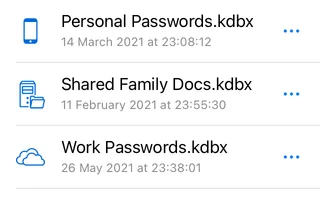
KeePassium for iOS and macOS: official downloads, KeePass databases, autofill, file provider sync and backups.
Review and setup →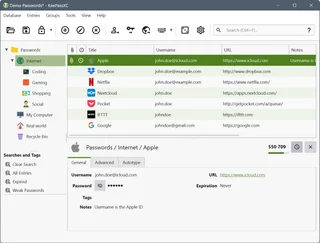
KeePassXC
KeePassXC: create a local KDBX password database, generate passwords, make backups and connect the browser extension.
Review and setup →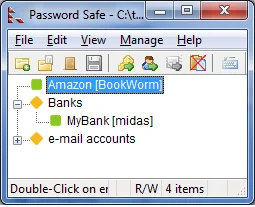
Password Safe
Password Safe: official download, psafe3 database setup, record groups, safe password entry and backup verification.
Review and setup →Related reading

Passkey, TOTP or SMS: protection of the exchange account
Selection of the method of entry and preparation of access recovery.
Read article →
Fake support for the exchange: how to check the request
Checking the access to the installation of programs and the transfer of access.
Read article →About the author

Crypto, fintech and Web3 expert with a background in marketing. Covers digital-asset projects, industry risks and fraud prevention.
Professional websiteDocumentation and images
Official sources, image credits and review methods
- Download Strongbox
- Documentation Strongbox
- Strongbox password database on Mac and iPhone: illustration source — Official materials of strongboxsafe.com; editorial illustration of the interface, rights of copyright holder.
The review was prepared on the project documentation. The installation and independent testing of the distribution within this material was not carried out. The rights to the interface and the names are reserved for the respective rights holders.