 EN
ToxHole Server: Connect to your node behind NAT
ToxHole Server: reach your computer behind NAT, official download and connection limitations.
What is ToxHole Server used for?
The developer describes a tunnel to a computer without a public IP, with direct data transfer after NAT traversal. In that description, Tox maintains online presence but does not relay user traffic.
| Item | Details |
|---|---|
| Platforms | Windows; exact OS versions are not specified |
| Task | Networking and tunnels |
| Download source | Use the project’s official page and choose the build for your operating system. |
| Version and terms | Check the version and licence on the developer’s website. |
Connect to your node behind NAT
Consider it for your own test nodes when inbound port forwarding is unavailable. First confirm a compatible client and authentication method: the short page is not a full deployment guide.
Download ToxHole Server from the official website
On the project’s download page, choose the build for your operating system.
Check the website address. Follow the developer’s instructions for verifying the file’s signature or checksum.
Getting started with ToxHole Server
- Open the official download page below and check the filename. Save current network settings before installation; start in a test environment without production secrets.
- Before connecting, record the original addresses and service availability. This distinguishes a tunnel problem from an existing DNS or application failure.
- Use your own devices and authorized connections. Restrict access to the proxy and management panel, set separate credentials and check firewall rules.
- Test from another network and repeat after a router restart. On failure, record the NAT type, firewall rules and UDP reachability. Do not disable the entire firewall for one test; retain a way to restore the original settings.
- Finish by disconnecting and reconnecting. Confirm the required routes and panel access are restored; save the working configuration without publishing passwords or keys.
ToxHole Server interface and illustrations
Interface screenshots
Image sources are listed below. Other versions may have a different interface.
ToxHole ServerToxHole Server: main window
1 of 2. ToxHole Server: ToxHole Server: main window
Limitations and data protection in ToxHole Server
UDP and lower latency are developer claims without comparative measurements. Success with one NAT does not guarantee operation with every CGNAT or provider. Price and the security model are incompletely documented.
Official documentation and download availability were checked. The installer was not run. The page does not provide a full compatibility matrix or licence terms.
Alternatives for related tasks
Compare Tailscale and ZeroTier for access to your network. Their connection and relay models differ; choose according to your network’s requirements.
Questions and answers
Is connectivity through every NAT guaranteed?
UDP and lower latency are developer claims without comparative measurements. Success with one NAT does not guarantee operation with every CGNAT or provider. Price and the security model are incompletely documented.
Where is the official download?
Open the official download page below and check the filename. Save current network settings before installation; start in a test environment without production secrets.
What should I check before production use?
UDP and lower latency are developer claims without comparative measurements. Success with one NAT does not guarantee operation with every CGNAT or provider. Price and the security model are incompletely documented. Official documentation and download availability were checked. The installer was not run. The page does not provide a full compatibility matrix or licence terms.
Other tools for similar tasks
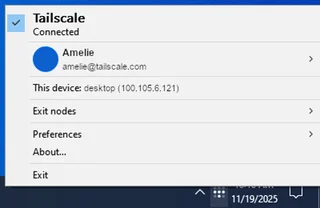
Tailscale
Tailscale: install the client, connect to your devices, manage network members and check routes without routing all traffic through the VPN.
Review and setup →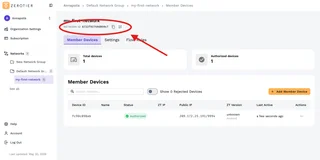
ZeroTier
ZeroTier: download official clients, create a private network, authorize devices in Central and verify access.
Review and setup →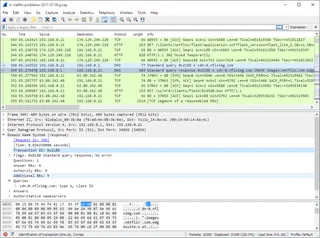
Wireshark
Wireshark: analyze your network traffic, choose an interface and filters, read captures and handle PCAP files safely.
Review and setup →Related reading

Passkey, TOTP or SMS: protection of the exchange account
Selection of the method of entry and preparation of access recovery.
Read article →
Fake support for the exchange: how to check the request
Checking the access to the installation of programs and the transfer of access.
Read article →About the author

Crypto, fintech and Web3 expert with a background in marketing. Covers digital-asset projects, industry risks and fraud prevention.
Professional websiteDocumentation and images
Official sources, image credits and review methods
- Download ToxHole Server
- Documentation ToxHole Server
- Official description and download
- Double SSH Tunnel Manager / Proxy Geo Router
- ToxHole Server: main window: illustration source — Image from the developer’s official website.
- Double SSH Tunnel Manager: selecting a ToxHole connection: illustration source — Image from the developer’s official website.
The review was prepared on the project documentation. The installation and independent testing of the distribution within this material was not carried out. The rights to the interface and the names are reserved for the respective rights holders.