 EN

Aegis Authenticator: Android authentication codes and vault backups
Manage two-step verification codes with Aegis on Android, export an encrypted vault and check recovery before replacing your phone.
What is Aegis Authenticator used for?
Aegis Authenticator is a free, open-source Android app for HOTP and TOTP codes. It stores account secrets in a vault and supports password encryption and optional biometric unlocking. It is not a password manager, a passkey provider or an account recovery service.
Use it for services that accept authenticator codes. Keep the vault password accessible through a separate protected route. A fingerprint is convenient on the current device, but it does not replace the password needed to import an encrypted backup.
| Item | Details |
|---|---|
| Platforms | Android |
| Task | Password managers |
| Download source | Use the project’s official page and choose the build for your operating system. |
| Version and terms | Check the version and licence on the developer’s website. |
Prepare recovery before changing phones
Begin with a noncritical account. Enable vault encryption, add the account and confirm that its code completes a real sign-in on the legitimate service. Keep the service’s recovery codes separately; a QR code used for setup contains a secret and must not appear in screenshots shared with others.
Export an encrypted vault and copy it to protected storage outside the phone. Test importing on a trusted spare Android device without deleting the original vault. Confirm a sign-in before retiring the old device. For time-based codes, check the device clock if codes are rejected.
Download Aegis Authenticator from the official website
On the project’s download page, choose the build for your operating system.
Check the website address. Follow the developer’s instructions for verifying the file’s signature or checksum.
Getting started with Aegis Authenticator
- Install Aegis using a download link from the official website.
- Set a vault password and store it separately from the backup.
- Add a test account and confirm a sign-in on the genuine service.
- Export an encrypted backup and test its import on a trusted device.
- Configure automatic backups and check that an off-device copy is actually available.
Aegis Authenticator interface and illustrations
Aegis Authenticator logo
Official Aegis Authenticator logo; not an application screenshot
Aegis AuthenticatorOfficial Aegis Authenticator logo; not an application screenshot
1 of 1. Aegis Authenticator: Official Aegis Authenticator logo; not an application screenshot
Limitations and data protection in Aegis Authenticator
Aegis is Android-only. It does not directly connect to cloud providers: automatic remote storage depends on a compatible Android storage provider or a separate transfer app. A local backup alone will be lost with the phone.
Plaintext exports expose authentication secrets. An encrypted export uses the vault password, so forgetting it can prevent recovery. Codes can still be stolen by phishing; never enter one because an unsolicited support message requests it. Keep account recovery options available.
Alternatives for related tasks
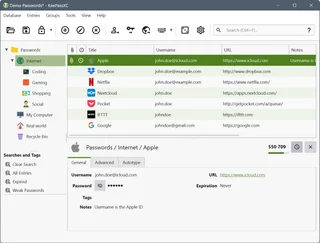
KeePassXC manages passwords on desktop systems; Aegis focuses on Android authentication codes. Syncthing can transport a backup folder but does not prove that its vault can be imported. Verify recovery separately from synchronization.
Questions and answers
Does Aegis work on iPhone?
No. The official project supports Android and states that it has no plans for other platforms.
Are export and automatic backup different formats?
No. The official FAQ says they use the same vault format; export is manual and backup is automatic.
Can biometrics replace my backup password?
No. Keep the vault password: encrypted exports use it, and another device needs it to import the vault.
Other tools for similar tasks
KeePassXC
KeePassXC: create a local KDBX password database, generate passwords, make backups and connect the browser extension.
Review and setup →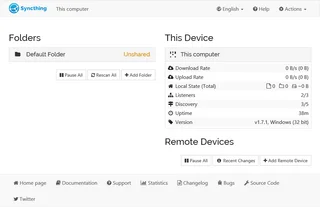
Syncthing
Syncthing: official downloads, device and folder setup, sync verification, propagation of deletions and the difference between sync and backup.
Review and setup →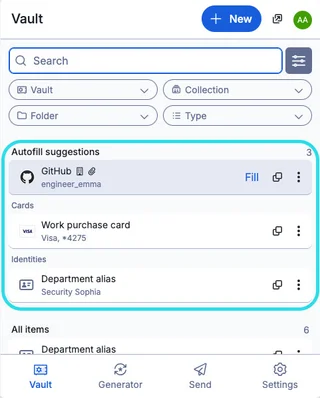
Bitwarden
Bitwarden: official downloads, extension setup, autofill, account protection and access recovery.
Review and setup →Related reading

Passkey, TOTP or SMS: protection of the exchange account
Selection of the method of entry and preparation of access recovery.
Read article →
Fake support for the exchange: how to check the request
Checking the access to the installation of programs and the transfer of access.
Read article →About the author

Crypto, fintech and Web3 expert with a background in marketing. Covers digital-asset projects, industry risks and fraud prevention.
Professional websiteDocumentation and images
Official sources, image credits and review methods
- Download Aegis Authenticator
- Documentation Aegis Authenticator
- Aegis Authenticator: illustration source
- Aegis: FAQ
- Official Aegis Authenticator logo; not an application screenshot: illustration source — Aegis Authenticator project; official logo, identification of the reviewed software..
The review was prepared on the project documentation. The installation and independent testing of the distribution within this material was not carried out. The rights to the interface and the names are reserved for the respective rights holders.