 EN
Vorta: Borg backups, schedules and file recovery
Vorta for macOS and Linux: repositories, encrypted backups, retention, schedules and restoring files to a separate folder. Downloads, costs and alternatives.
What is Vorta used for?
Vorta is a graphical client for BorgBackup on macOS and Linux. You select source folders and a repository, then create dated archives. Borg handles encryption, compression and deduplication: repeated data can be shared between archives instead of being stored as a complete new copy every time. Vorta brings repository settings, schedules and archive management into one window.
| Item | Details |
|---|---|
| Platforms | macOS, Linux |
| Task | File encryption |
| Download source | Use the project’s official page and choose the build for your operating system. |
| Version and terms | Check the version and licence on the developer’s website. |
Vorta interface and illustrations
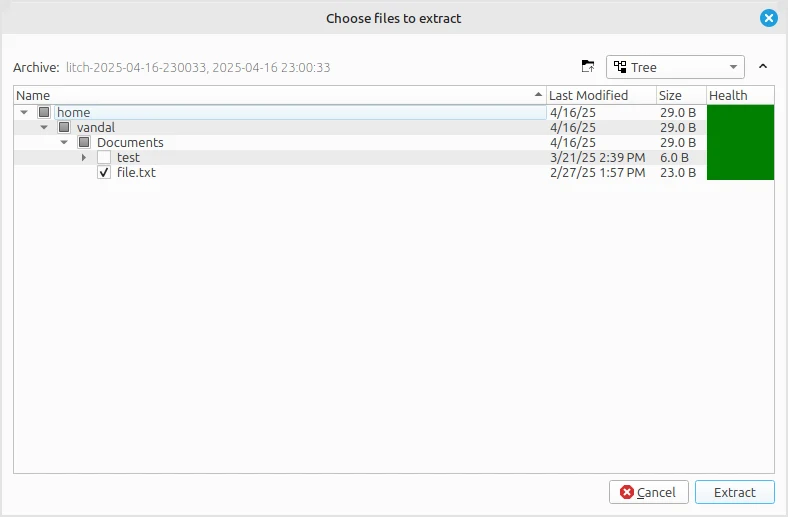
The official documentation shows the repository window and the file-selection dialog for extracting an archive. The second image illustrates the recovery step, not another backup job.
Interface screenshots
Image sources are listed below. Other versions may have a different interface.
VortaVorta: repository settings in the official documentation
1 of 1. Vorta: Vorta: repository settings in the official documentation
Download Vorta from the official website
Use the official installation page to choose a macOS package or the instructions for your Linux distribution. Vorta is free software under GPL; storage on your disk or a remote server is a separate resource.
Check the website address. Follow the developer’s instructions for verifying the file’s signature or checksum.
Getting started with Vorta
- Install Vorta and the compatible Borg package using the official platform instructions.
- Add a new repository on a separate disk or a supported remote destination. Set encryption and store its recovery credentials separately.
- Select a small source folder, review exclusions and create the first archive.
- Open Archives, choose that archive and Extract a test file into a different directory.
- Open the restored file, then configure the schedule and retention policy. Check subsequent job results.
Who it suits
It fits a laptop or workstation whose owner wants versioned backups with a desktop interface. A local disk is a simple starting point; an SSH-accessible Borg repository suits an off-device copy. Windows is not a fully supported native target.
Archives, retention and recovery
An archive records a backup point. A repository contains the archives and shared data. Retention rules remove selected older archives, so choose them according to how far back you need to recover. Repository verification and opening an extracted file answer different questions; include both in the routine.
- Use profiles for different source folders, destinations and schedules.
- Review exclusions before assuming an application database or large directory is protected.
- Keep an independent copy of repository credentials and the required encryption key material.
Software and storage costs
| Component | Payment | Responsibility |
|---|---|---|
| Vorta + Borg | Free, open source | Installation and updates |
| Local disk | Hardware cost | Capacity and physical access |
| Remote repository | Your host's tariff | Server, credentials and network |
Vorta does not require a BorgBase subscription. Its documentation covers local repositories and remote alternatives. The capacity needed depends on retained versions and how much source data changes.
Limitations and data protection in Vorta
A scheduled job still needs the computer running and the destination reachable. Review failures after travel or a disconnected disk.
Before pruning or changing repository settings, confirm that you can extract a usable file. Encryption credentials belong in your recovery plan.
Alternatives for related tasks
Duplicati offers a different interface and storage integrations, including Windows. Restic is useful for a command-line workflow. Syncthing distributes current changes between devices; use dated archives when you need an older state.
Questions and answers
Can I use an external disk?
Yes. The local-backup guide explains creating a repository there; keep it available when the job runs.
Does Vorta include cloud space?
No. Choose your own disk, server or compatible hosting service.
Where should I restore a test file?
Use a separate directory, then open and compare it before replacing a working copy.
Other tools for similar tasks
Duplicati
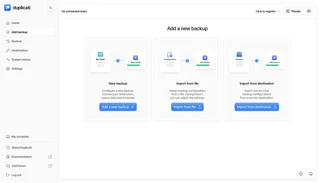
Duplicati review: choose a backup destination, configure encryption and retention, understand storage costs and restore files to a separate folder.
Review and setup →
Restic
Use Restic to save file snapshots, check a repository and restore a selected version to a separate directory on Windows, macOS, Linux or BSD.
Review and setup →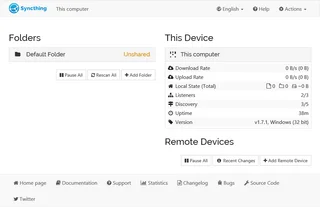
Syncthing
A practical Syncthing review: sync folders across your devices, choose folder modes, keep file versions and understand desktop and mobile options.
Review and setup →Related reading
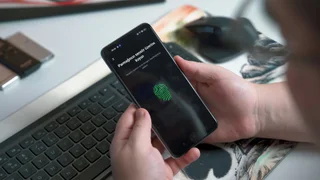
Passkey, TOTP or SMS: protection of the exchange account
Selection of the method of entry and preparation of access recovery.
Read article →
Fake support for the exchange: how to check the request
Checking the access to the installation of programs and the transfer of access.
Read article →About the author

Crypto, fintech and Web3 expert with a background in marketing. Covers digital-asset projects, industry risks and fraud prevention.
Professional websiteDocumentation and images
Official sources, image credits and review methods
- Download Vorta
- Documentation Vorta
- Official source · vorta.borgbase.com /
- Official source · vorta.borgbase.com / local
- Official source · vorta.borgbase.com / restore
- Official source · vorta.borgbase.com / pruning
- Official source · github.com / vorta
The review was prepared on the project documentation. The installation and independent testing of the distribution within this material was not carried out. The rights to the interface and the names are reserved for the respective rights holders.